Branded Social Media Templates That Convert
Branded social media templates that convert: design modular layouts once, use conversion cues on purpose, measure which templates sell and build a library.
Design once, duplicate forever
Create a master template with headline, proof badge, CTA bar, and footer URL. Lock the layout so only copy and background shift each time. This modular approach means you're designing systems, not individual posts. Once your template is proven, you can generate dozens of variations without starting from scratch.
Your master template should have fixed zones: headline area (top third), proof section (middle), CTA bar (bottom), and optional footer for URL or branding. Keep these zones fixed from post to post in whatever editor you use. (If you would rather not build a template at all, an AI Instagram post generator like Creobee designs every post in a batch in one style with your logo and colors, and picks each layout from what the post says.) Only allow changes to: headline text, background image/color, proof stat, and CTA copy. This constraint actually speeds up creation because you're not making layout decisions each time.
Test your template with 5-10 variations before locking it in. Make sure it works across different headline lengths, various proof points, and different CTAs. Once you've validated the structure, save it as your default template. Now every new post follows the same proven formula, just with swapped-in content. If filling in the copy is the part that keeps slipping, Instagram templates for small business that arrive already filled in are the other route: your colors and logo go in once, and each post comes back with its headline and caption written.
Use conversion cues deliberately
Every element in your template should guide the eye toward action. Here's how to optimize each component:
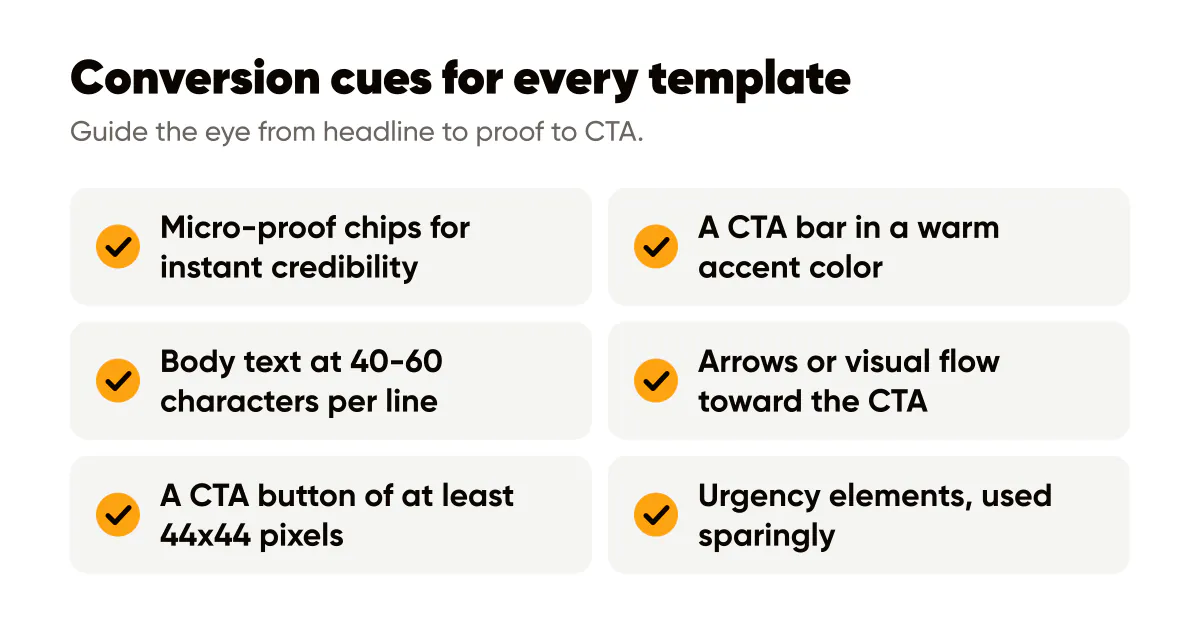
- Add micro-proof chips like "3.2k creators use this" or "Used by 500+ agencies" to build instant credibility without taking up much space.
- Contrast your CTA bar with a warm accent color that stands out from the background: orange, red, or bright yellow work well for action-oriented CTAs, and our CTA examples roundup has more copy to test.
- Keep body text to 40-60 characters per line for mobile readability. Longer lines are harder to scan on small screens.
- Use directional cues like arrows or visual flow that guide the eye from headline to proof to CTA.
- Make your CTA button large enough to tap easily on mobile: at least 44x44 pixels with clear contrast.
- Add urgency elements sparingly: "Limited spots" or "Ends Friday" can boost clicks when used authentically.
The goal is making the desired action obvious without feeling pushy. Test different CTA colors, sizes, and copy to find what resonates with your audience. What works for B2B might not work for B2C, so let data guide your decisions.
Measure template performance
Tag each template with a UTM-friendly CTA. Compare click-through across designs, the way our creative performance guide recommends, and double down on the variants that consistently outperform. Track not just clicks, but also saves, shares, and comments. These signal different types of engagement.
Create a simple tracking system: use UTM parameters in your CTAs to identify which template drove which action. In your analytics, you'll see patterns like "Template A drives more clicks, Template B drives more saves." This tells you which templates work for different goals.
Run A/B tests systematically. Post Template A and Template B with the same headline and CTA, but different layouts. After 10-20 posts, you'll have enough data to see which structure performs better. Then retire the weaker template and iterate on the winner.
Build a template library
Don't stop at one template. Build a library of proven formats, the same idea behind an evergreen content library. Create templates for different content types: educational posts, product launches, testimonials, behind-the-scenes content. Each should follow the same conversion principles but optimized for its specific purpose.
Organize your templates by use case. When you need to create a new post, pick the appropriate template and customize. This speeds up production while maintaining quality. Over time, you'll have a collection of high-performing formats that you can deploy confidently.

Put it into practice
Turn this into posts designed for your feed
Paste your website. Creobee reads what you sell, then plans, writes and designs your posts about it as one feed in your logo and colors, captions included, and on Autopilot it posts them for you.
How the Instagram templates for small business works