Evergreen Content Library: Never Run Out of Posts
Build an evergreen content library: tag posts by problem, archive them with performance notes, refresh visuals quarterly, and never run out of ideas to publish.
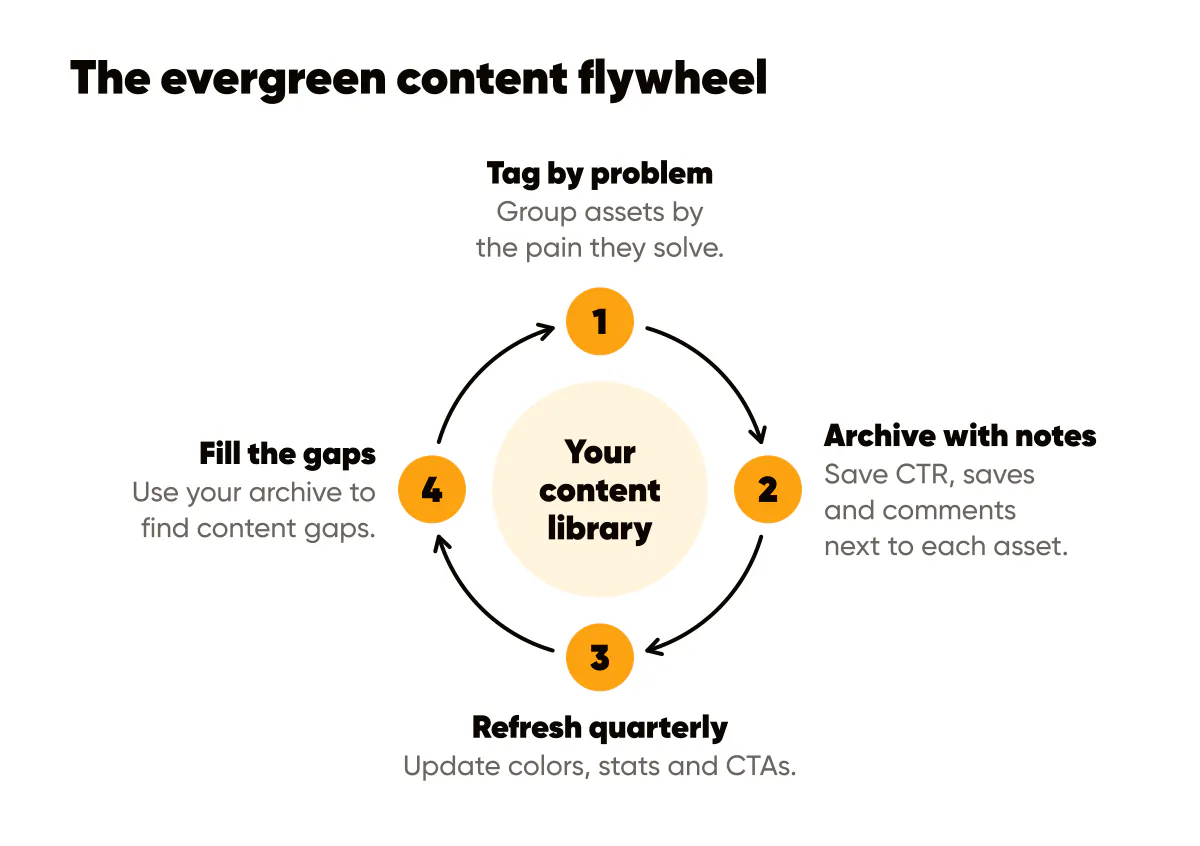
Tag by problem, not platform
Group assets by the pain they solve. This makes it easy to repackage a winning idea for any channel in seconds. Platform-specific organization is limiting: ideas that work on Instagram can work on LinkedIn, just formatted differently.
Create folders around your content pillars, like "Time Management for Creators," "Growing Email Lists," "Converting Followers to Customers." When you need content for a specific problem, you have a library of proven ideas ready to adapt. This is faster than creating from scratch.
Within each problem folder, include different formats: carousel slides, single images, video scripts, email templates, the same spread our content repurpose playbook recommends. One core idea becomes multiple assets. When you need to create for a new platform, you already have the concept. Just adapt the format.
This organization system makes content repurposing systematic. Instead of wondering "What should I post today?", you ask "What problem does my audience have right now?" Then you pull from your relevant folder and adapt. Much faster than ideation from scratch.
Archive with performance notes
Save CTR, saves, and comments next to each asset in its folder. Future you will know exactly which angle to revive next month. Performance data turns your content library into a strategic asset, not just a storage system.
Track key metrics for each asset, the same set our creative performance guide covers: impressions, engagement rate, saves, clicks, conversions. Note which headlines worked, which visuals resonated, which CTAs converted. This data helps you recreate success instead of guessing.
Add context notes: "This worked well in Q4," "Resonated with solopreneurs," "High save rate suggests valuable content." Qualitative notes complement quantitative data and help you understand why something worked, not just that it worked.
Review your archive monthly. Look for patterns: which problems consistently perform well? Which angles resonate most? Use this to guide future content creation. Your archive becomes a research tool that informs your strategy.
Refresh visuals quarterly
Update colors, stats, and CTAs every quarter so evergreen posts feel current without rewriting the core idea. Evergreen content can stay relevant indefinitely if you keep visuals fresh and stats updated.
Set a quarterly reminder to review your evergreen content library. Update statistics, refresh color schemes if your brand has evolved, tweak CTAs based on what's converting. This takes less time than creating new content but keeps your library valuable.
Refresh visuals in one sitting rather than post by post. Change the colors or background once in whatever tool you use, then remake your evergreen posts as a set. This maintains consistency while refreshing the look. Followers who see your refreshed content will appreciate the update without realizing it's repurposed.
Test refreshes before applying broadly. Update one evergreen post and see if performance improves. If refreshed visuals perform better, roll out updates systematically. If performance stays the same, maybe visuals weren't the issue. Focus on other optimizations.
Build a content flywheel
Your evergreen library should feed your content creation. When you create something new, consider if it solves a problem you've addressed before. If so, add it to that folder. Over time, you build depth on topics that matter to your audience.
Use your archive to identify content gaps. Are there problems you mention but haven't addressed deeply? Fill those gaps systematically. Your library becomes more valuable as it becomes more comprehensive.


Put it into practice
Turn this into posts designed for your feed
Paste your website. Creobee reads what you sell, then plans, writes and designs your posts about it as one feed in your logo and colors, captions included, and on Autopilot it posts them for you.
How the AI content calendar generator works