The AI content calendar generator that hands back the finished month.
Most calendar tools hand you a table of ideas and leave the posts to you. Creobee is an AI content calendar generator for small businesses that makes the month as well as planning it: every slot comes back as a finished post, with its words on the image, a caption in your voice and a design that fits the rest of your feed. Up to 30 posts in one sitting, and on Autopilot they go onto a posting calendar and out to your accounts.
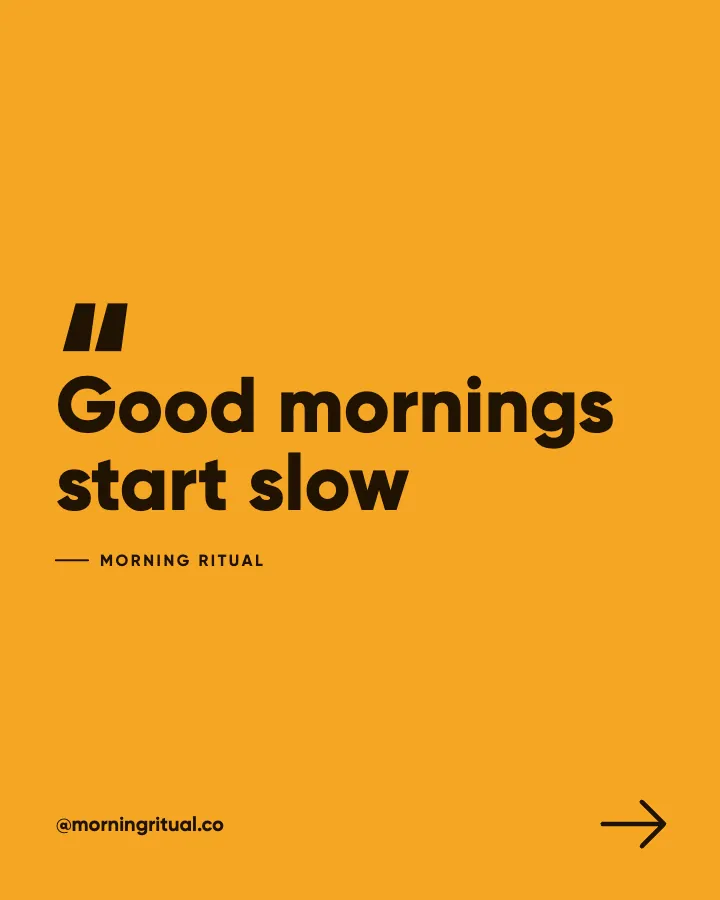
Example posts for a fictional cafe and coffee roaster, made with Creobee.
How it works
01
Describe your business, pick the goal
A couple of sentences about what you do and who it is for, then the month's goal: get found, be seen as the expert, sell something this month, or just stay consistent. The goal sets the mix of posts across 7 content pillars and a weekly target to aim for.
02
Set your feed's look
Keep the style your voice suggests or pick one of 5, add your brand color and choose a grid pattern. A live preview shows how the next nine posts will sit on your profile.
03
Get the posts, not just the plan
Every slot comes back written and designed, in calendar order. Download the batch, or on Autopilot drop it onto the calendar, one post per posting day, and let it publish.
Four weeks from one plan
A launch month for an imaginary yoga studio adding an early class, using the "Sell and launch" mix, from a brief that gives the class's days, length and size. Six of the slots, in calendar order, with the pillar and post type the plan gave each one. The offers sit between posts that teach and ask, so the feed never turns into an ad.
Behind the scenes/Why we started
Why we are adding a 6:30am class
So many messages to the studio start with the same line: I would come if you opened before work. So this month, we will. Same teachers, same warm room, and a shorter 45-minute flow on Tuesday, Wednesday and Thursday mornings that has you showered and out the door by 7:30.
Educate/How-to
How to wake up for a 6:30 class
Lay out your mat and clothes the night before, set one alarm across the room, and drink a glass of water before your coffee. The first week is the hard one. By the third, the early start begins to feel like the one part of the day that is completely yours.
Promote/Announcement
The 6:30am flow starts next Tuesday
Forty-five minutes, all levels, mats provided. Your intro pass works for early classes too, and any friend you bring in the first week joins at no charge. Book through the link in our bio; each class is capped at sixteen so everyone has room to move.
Educate/Myth vs fact
Morning yoga is for flexible people
Nobody is flexible at 6:30 in the morning, teachers included. The early flow starts slowly, uses blocks and straps from the first pose, and nobody is asked to touch their toes. Flexibility is something the class builds over time, not something you need to bring.
Engage/Question
Which morning would you start with?
Tuesday, Wednesday or Thursday? The early flow runs on all three, and the first week is the easiest time to start, while everyone in the room is new. Tell us your morning in the comments, and tag the friend who keeps saying they would come if only it were earlier.
Promote/Availability
Sixteen mats in every early class
We keep the early flow small on purpose, so there is room to move and time for the teacher to help everyone. Once sixteen mats are booked, the class is full. If mornings are all you can make, book your first week now through the link in our bio.
Each headline is designed into its post; the caption goes underneath when you post or schedule it.
A content calendar is only useful if the posts exist
The classic 30-day social media content calendar is a grid of prompts: Monday a tip, Wednesday a client story, Friday a behind-the-scenes photo. It solves the blank page for about a week. Then every prompt still has to become a written, designed post, and that is where most calendars stop being followed.
Most tools that rank for AI content calendar generator work the same way, just faster: you type a topic and get back a table of ideas. Creobee treats the calendar and the posts as one job. The plan comes from your goal, and every slot in it comes back as a finished post. You get the thinking of a content plan and the output of a designer in the same sitting.
Every post gets its own job in the plan. The mix comes from your goal: "Steady presence", "Grow audience", "Build authority" and "Sell and launch". A month aimed at authority leans on teaching and results; a launch month brings in more offers, proof and answers to objections, with enough useful posts to stay welcome.
Across the month the plan draws on 7 content pillars (educate, engage, inspire, behind the scenes, social proof, promote and timely) and dozens of post types within them: checklists, myths and facts, questions, this-or-that questions, lessons learned, client questions answered, offers, seasonal posts and more. Your brief can mention the dates that matter, such as a sale or a booking window, so the captions can refer to them.
Next month's calendar is planned fresh, and headlines you have already used stay out of it, so the second month is not a reshuffle of the first.
Search for a way to bulk create Instagram posts and you find two kinds of tool. Bulk schedulers take posts you already made and spread them across the month: useful, but they assume the hard part is done. Data merge tools, Canva's Bulk Create being the best known, fill one template from a spreadsheet, one row per post: perfect for price cards and certificates, but someone still has to write every row, and every post comes out in the same layout.
Creobee replaces the spreadsheet with a brief. You write once what the business is, who it serves and how it sounds, and it writes every row for you: the words on each image and the caption under it. A batch is up to 30 posts, a month at one a day or more than two months at three a week, and each kind of post gets a layout that fits it, so a batch never looks like one post pasted over and over.
Batches also add up. Make three posts this week and seven next week, and they take the same places in your grid pattern as ten made at once, so you can batch in whatever size suits your month.
Pick the goal for the month so the mix matches it.
Make the whole month in one go: 30 posts if you post daily, 12 to 15 if you post three times a week.
Look through the batch as your profile grid and leave out anything that does not sound like you.
Download everything as one ZIP, or on Autopilot drop the batch onto the calendar and let it place and publish the posts.
A month of posts is also a month of your profile grid, and a calendar that ignores the grid gives you a month of posts that look like they came from different people. The month comes back as one feed: one style, a palette from your brand color (used exactly) or your background, and every word readable to the WCAG AA contrast standard.
Each post takes a look from your grid pattern (columns, checkerboard and diagonal): the art full size, a block of your brand color, or a light surface. The pattern keeps its shape as new posts go up, and next month's batch continues it. Your logo is on every post, the art is one of 94 backgrounds or your own photo, and no picture is AI-generated, so there is nothing AI-made to spot.
From calendar to published
On Autopilot, the batch goes straight onto a month planner. Posts are placed one per posting day, in order (every day, weekdays or the days you pick) at your default time, and you can drag any post to another day or change its caption before it is scheduled. It publishes to Instagram, Facebook Page, LinkedIn, Threads, Pinterest, Bluesky and TikTok, up to 100 scheduled posts a month, and because the order is kept, your grid pattern holds on your profile. Nothing goes out without your OK.
On Solo you download the batch as a ZIP and use the scheduler you already have. Either way, your dashboard keeps a weekly target for your goal and counts the posts that actually went live, so you can see whether the calendar is being kept.
Buffer's January 2026 posting guide recommends three to five Instagram posts a week, which is 13 to 22 a month. Daily posting is about 30. Creobee lets you choose the batch size, so the calendar matches the pace you can keep: Solo's 30 posts a month cover a post every day, and Autopilot's 90 leave plenty to spare.
Most AI content calendar generators stop at the table. The difference is what you still have to do afterwards. An idea calendar is still the better choice when most of your month is Reels and Stories, which Creobee does not make.
Creobee
Output
Finished posts with captions
Design
Designed as one feed in your colors and logo
Variety
7 content pillars and dozens of post types, mixed around your goal
Your grid
Checkerboard, columns or diagonal, continued next month
Scheduling
Built in on Autopilot
Time for a month
One sitting and a look through
Best for
The designed posts in your feed
Idea calendar generator
Output
A table of topics per day
Design
You make every image
Variety
Depends on your prompt
Your grid
Not considered
Scheduling
A separate tool
Time for a month
Planning, then making every post yourself
Best for
Planning video, Stories and events
Feature
Idea calendar generator
Creobee
Output
A table of topics per day
Finished posts with captions
Design
You make every image
Designed as one feed in your colors and logo
Variety
Depends on your prompt
7 content pillars and dozens of post types, mixed around your goal
Your grid
Not considered
Checkerboard, columns or diagonal, continued next month
Scheduling
A separate tool
Built in on Autopilot
Time for a month
Planning, then making every post yourself
One sitting and a look through
Best for
Planning video, Stories and events
The designed posts in your feed
Pricing
Pick how much gets done for you
Every plan designs your feed. Pick how many posts, and whether we post them too.
Your logo and brand color, and real people if you want them
Download everything, keep it in your gallery
Recommended
Autopilot
For handing the whole job over
$39/month
90 designed posts a month, captions included
Posted for you on Instagram, Facebook, LinkedIn, Threads, Pinterest, Bluesky and TikTok
Schedule every post you make, in grid order, across 10 accounts
Publishing never uses your posts
Everything in Solo
Pro
For posting every day across several accounts
$79/month
300 designed posts a month, captions included
500 scheduled posts a month on up to 15 accounts
Schedule your own photos too, uploaded from your device
Schedule up to 90 days ahead
Everything in Autopilot
For comparison: freelancers usually charge $300 to $1,500 a month for 8 to 16 posts.
7-day money-back guarantee
Cancel anytime from your dashboard
Your plan starts right after checkout
Questions about the AI content calendar generator
Straight answers on pricing, posts, and what Creobee does and does not do.
Both, depending on the plan. Every plan gives you a planned batch in calendar order. On Autopilot and Pro the planner gives each post a day and a time and publishes it; on Solo you choose the days in your own scheduler.
Yes. Pick the "Sell and launch" mix for a launch month, and the plan mixes in the odd seasonal post on its own. Mention the dates that matter in your brief, such as a sale or a booking window, so the captions can refer to them.
Yes. One batch is up to 30 posts, each with its caption and its own layout, designed as one feed. Make another batch whenever you need more; it continues the same grid pattern. On Autopilot you can schedule the whole batch in one go.
They share your brand on purpose: one style, your colors and your logo. They do not share a layout. Each kind of post has its own layout (a list, two sides, a question, an offer, a big number, a quote), and posts take turns between looks in your grid pattern, so the month reads as one set without repeating itself.
You make a new batch. It is planned fresh, keeps clear of headlines you already used and, made on the same device, picks up your grid pattern where this month ended, so the profile keeps its shape from one month to the next.
Solo is $19 a month for 30 designed posts, Autopilot is $39 for 90 posts and posts them for you on Instagram, Facebook Page, LinkedIn, Threads, Pinterest, Bluesky and TikTok, and Pro is $79 for 300 posts and up to 15 connected accounts. Every plan includes the full content plan, every style and grid pattern, and captions.
No. Creobee makes still 4:5 posts: no video or Reels, no carousels yet, no replies to comments or DMs and no analytics. The calendar is made of designed feed posts. A good split is to keep Stories and Reels for quick, filmed moments and let the planned posts carry the steady presence.
Partly. Every new account gets 3 finished posts free, with no card and no watermark, so you can see your own brand on real posts before paying anything. After that, plans start at $19 a month for 30 posts, with a 7-day money-back guarantee. That is enough to see the start of your own month, in your colors, before you decide.