Carousels that connect as you swipe
4 to 8 slides, every one readable alone. 2 to 4 in a planned week.
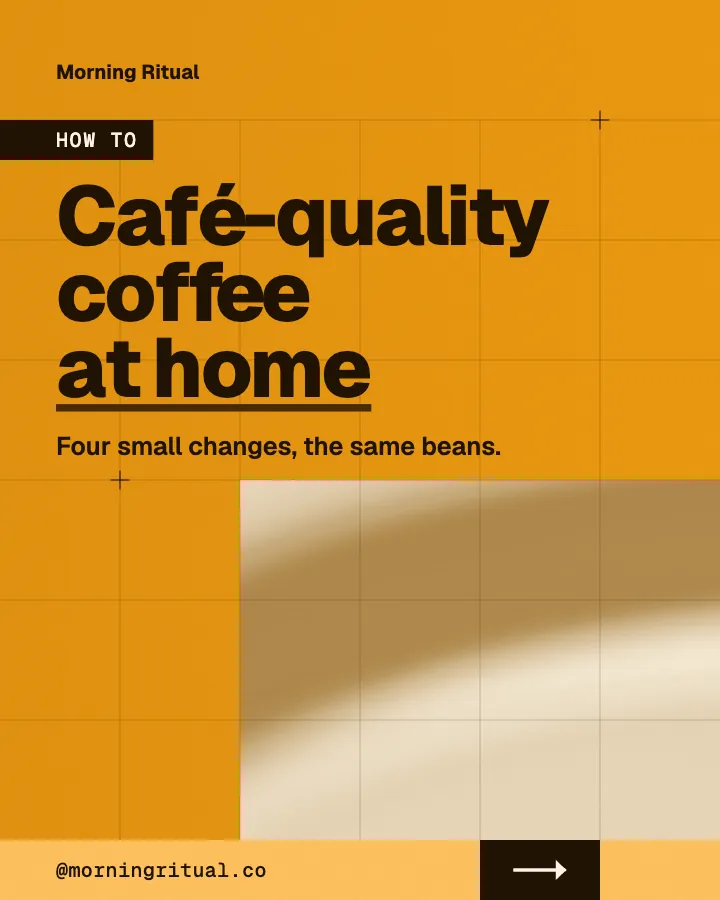
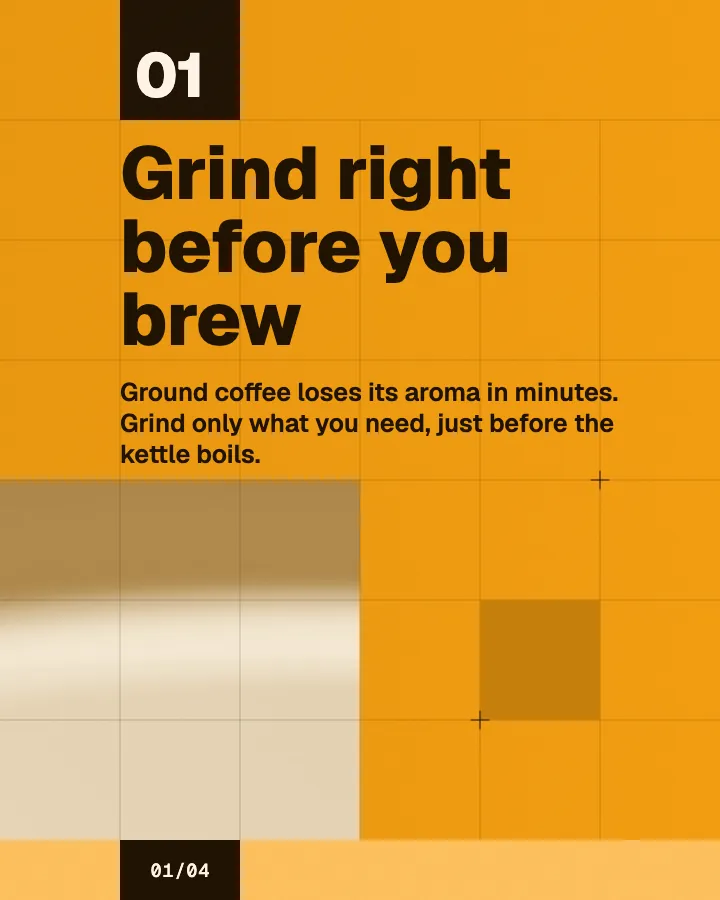
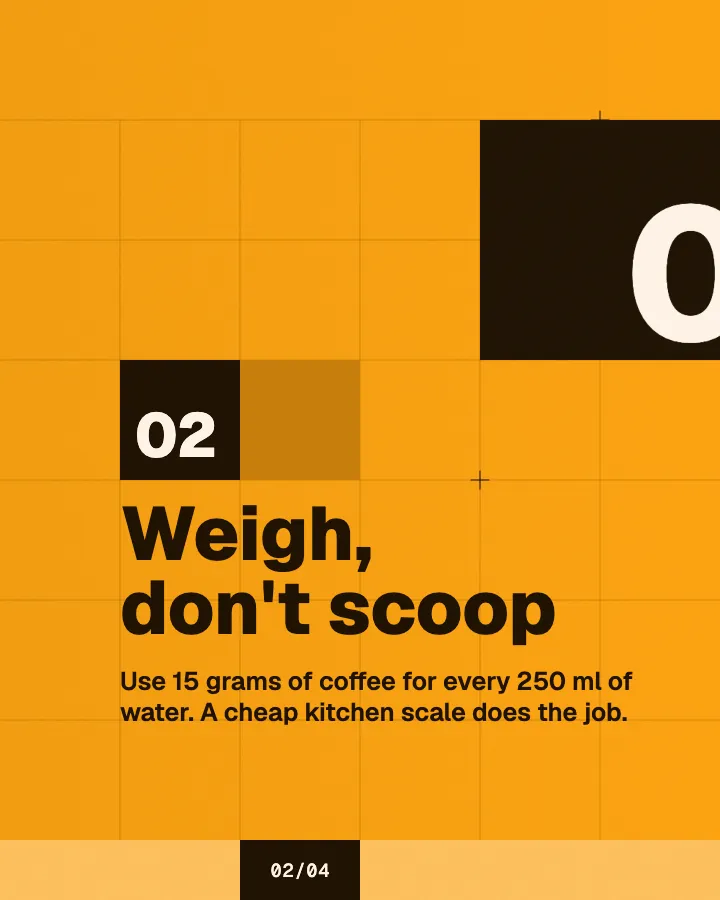
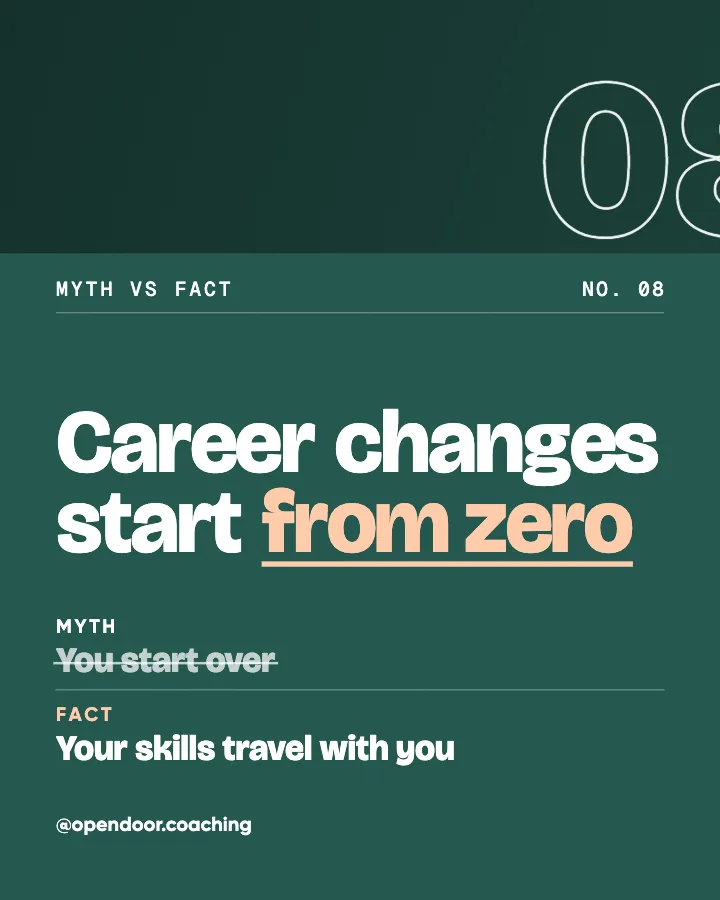
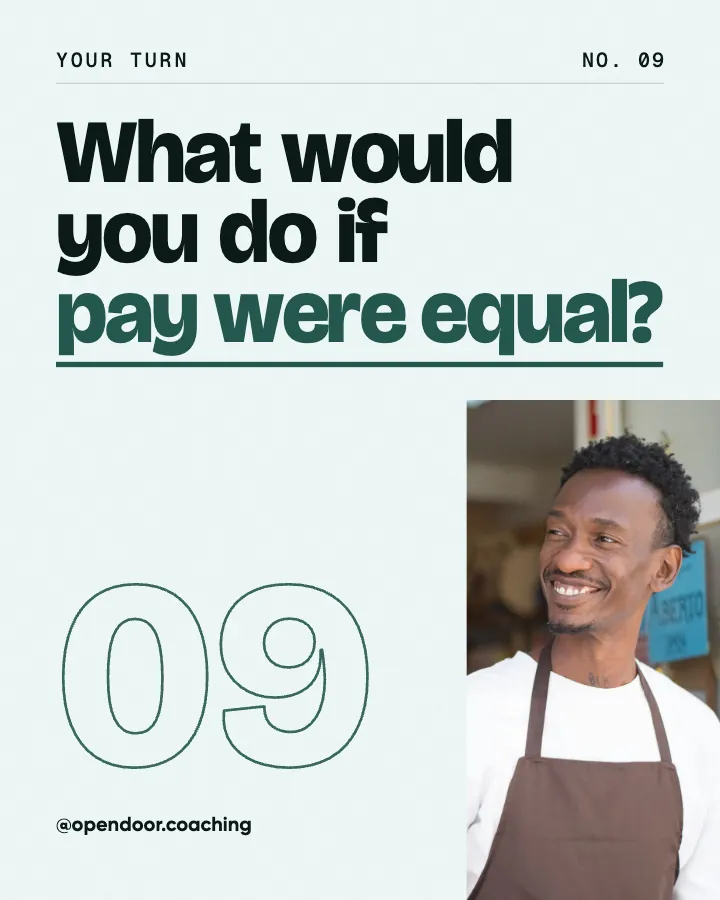
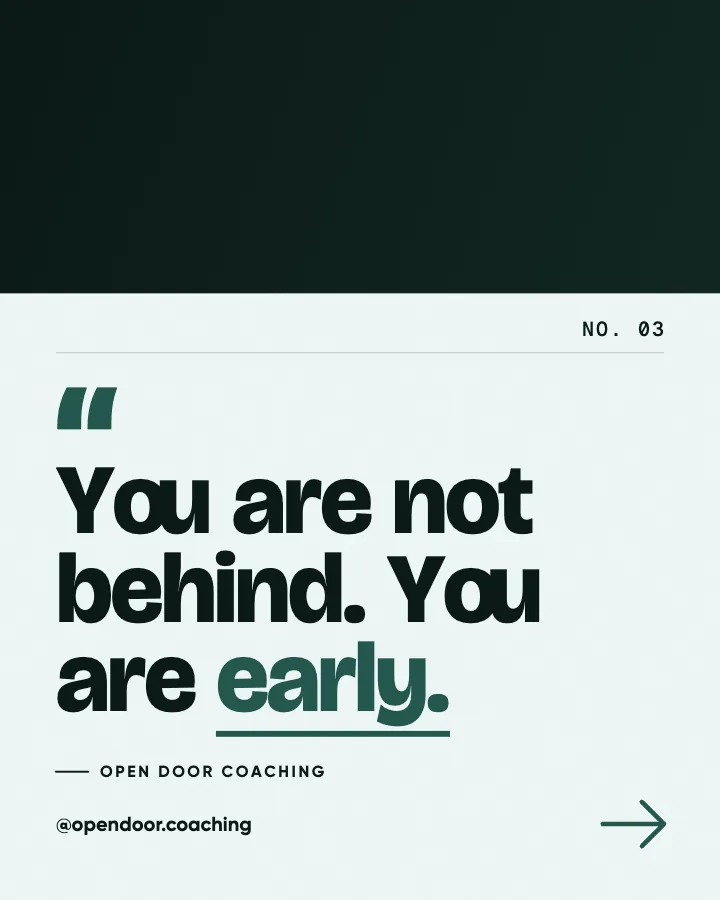
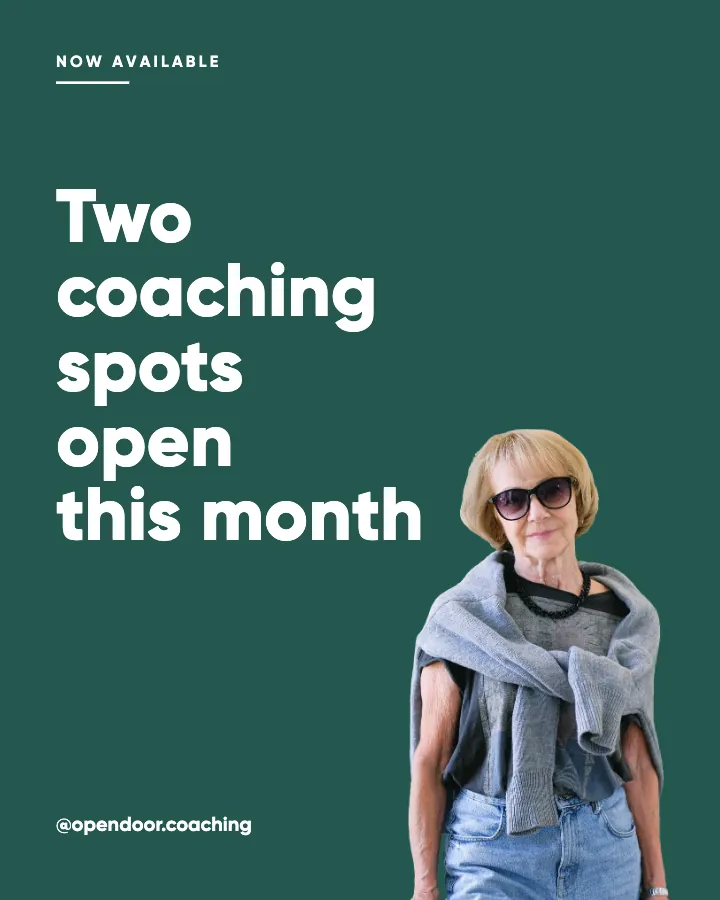
The first slides of Morning Ritual's carousel, a fictional business.
AI Instagram post generator
Tell it about your business once. Get a week of finished Instagram posts, carousels and stories, designed as one feed and ready to post or schedule.
No card for the free posts7-day money-back guaranteeSee plans
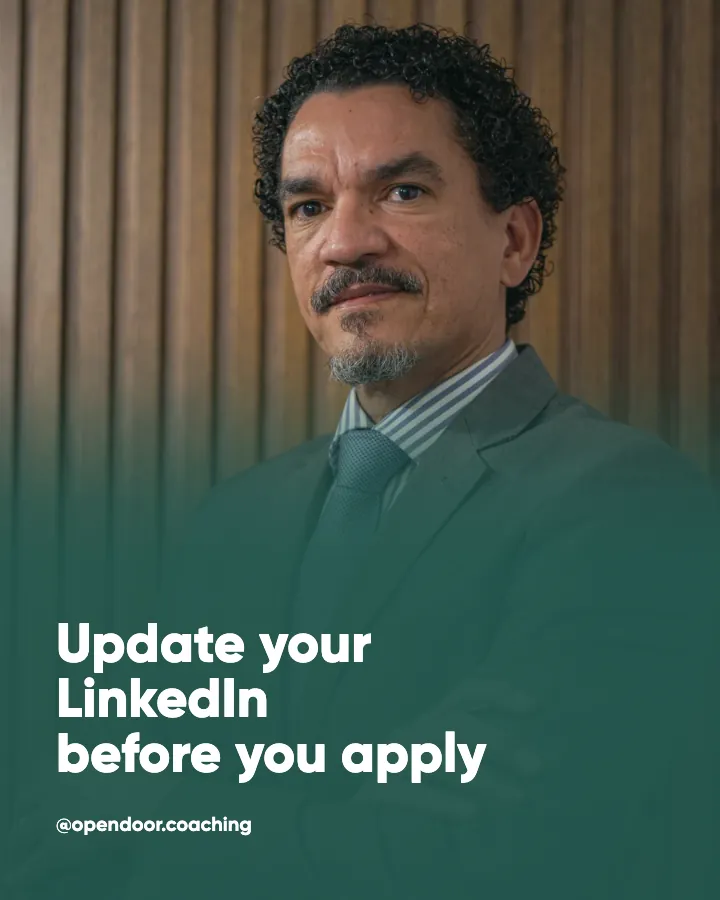
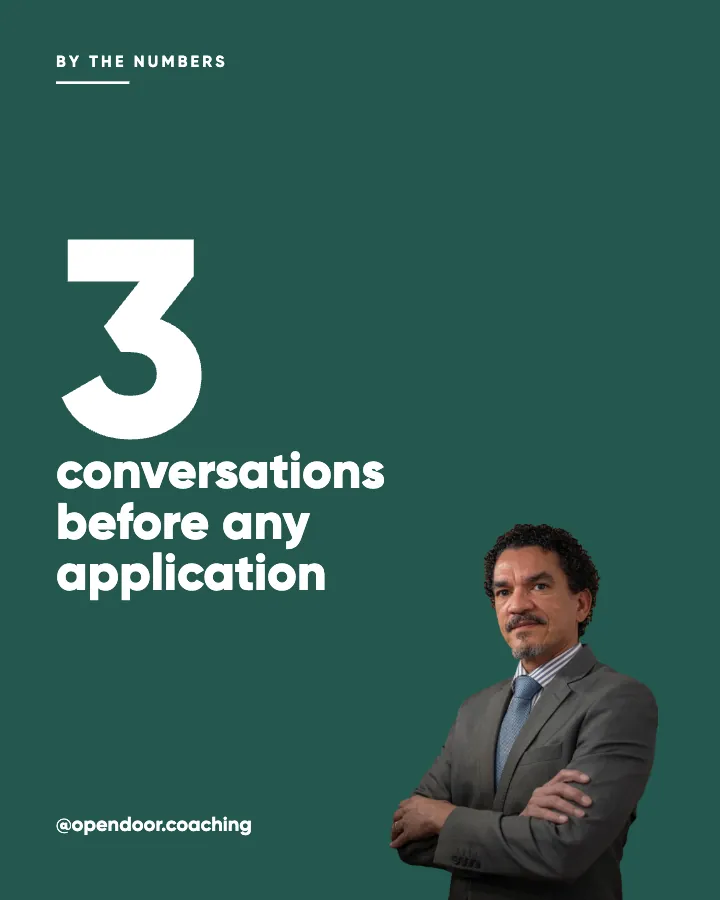
Example posts for a fictional career coach, made with Creobee.
How it works
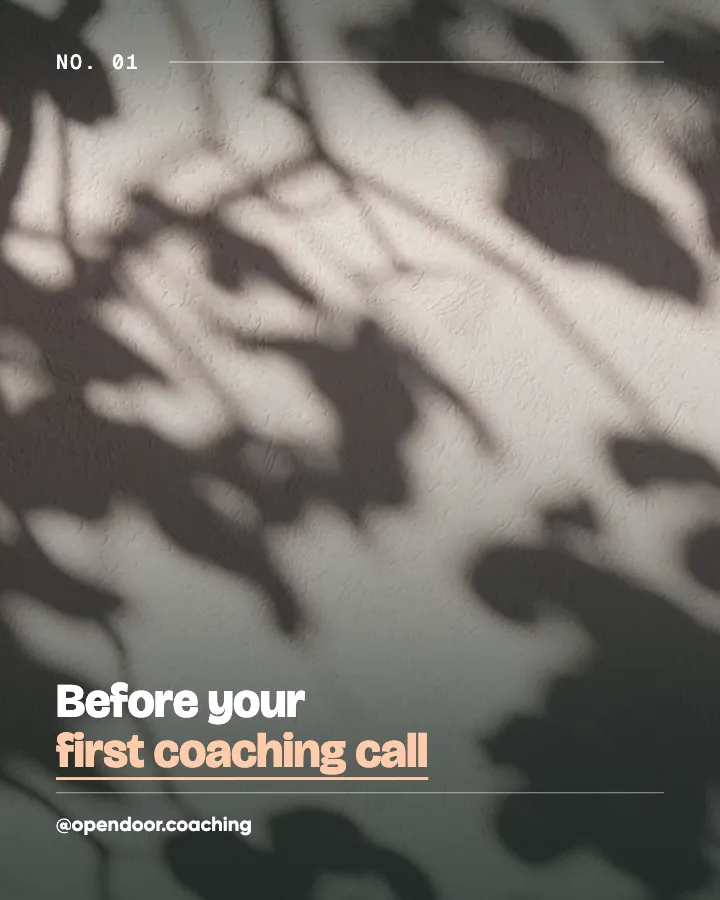
Open Door Coaching is a fictional career coach. This is the week Creobee made for it.
Describe it onceYour website, or a few words.
Get the weekEvery post written and designed in your colors.
Approve, then postScheduled for you on Autopilot and Pro, or downloaded.
BriefCareer coaching for people changing jobs. Friendly voice.
Regular · 16 a week
Open Door Coaching's week is ready@opendoor.coaching
8 networks, one schedule
Each post goes out on its day, after your OK.
Example week for a fictional career coach, made with Creobee. Stories go to Instagram; animated posts only if you want them.
About 70 posts a month, stories included. Autopilot's 100 posts cover it.
$39 a month · about $0.39 a post
Your first 3: a post, a carousel and a story.
4 to 8 slides, every one readable alone. 2 to 4 in a planned week.
The first slides of Morning Ritual's carousel, a fictional business.
Your brand
Open Door Coaching uses the Studio style, the columns grid pattern and its own colors. No AI-generated images.
On Autopilot and Pro, each post goes out at its time to the accounts you connect, and stories go to Instagram. On the other plans you download the week.
Switch on animated posts and single posts can also come as videos of 6 to 12 seconds, animated from the post's own design with sound effects timed to the motion. Three examples for fictional businesses, each in a different style; every one starts and ends on its post.
On every plan, at no extra cost. Sound effects you can turn off.
Animated versions of example posts for fictional businesses, made with Creobee.
Both give you something to post. The difference is what you are left to do afterwards.
Pricing
Every plan designs your feed. Pick how many posts, and whether we post them too.
Not sure yet? First 3 posts free, no card neededFor making your posts and posting them yourself
$19/month
7-day money-back guarantee. Cancel anytime.
For handing the whole job over
$39/month
7-day money-back guarantee. Cancel anytime.
For posting every day across several accounts
$79/month
7-day money-back guarantee. Cancel anytime.
For comparison: freelancers usually charge $300 to $1,500 a month for 8 to 16 posts.
Straight answers on pricing, posts, and what Creobee does and does not do.
Partly. Every new account gets 3 finished posts free, a post, a carousel and a story from its first week, with no card and no watermark, so you can see your own brand on real posts before paying anything. After that, plans start at $19 a month for 40 posts, with a 7-day money-back guarantee. The free tools under /tools, such as the Instagram grid planner and the carousel splitter, need no account.
Yes, several, and they work in different ways. Many generate one picture from each prompt, and you still write the caption and keep the feed consistent yourself. Creobee plans a month, writes every headline and caption, and designs finished posts in your logo and colors, with no AI-generated images. It does not post by itself: you look through the batch, then download it or, on Autopilot, schedule it and each post publishes on its day. It does not make filmed Reels; its only motion is a short animated version of a designed post, and every planned week includes 2 to 4 carousels.
Yes, for every post. The headline goes on the image and a full caption comes with it, written from your brief in the voice you picked and sized to what the post is for. Copy each caption with a tap, or edit it in the scheduler on Autopilot.
It depends on the post. A conversation post gets a few lines and ends on its question; a how-to, a lesson or a client story gets a short paragraph or a numbered list; an offer ends with one next step. The first line always makes sense on its own, since Instagram hides the rest behind "more". There is no block of #tags at the end, so add your own if your account uses them.
Yes, on Autopilot and Pro. Connect an Instagram business or creator account, no Facebook Page needed (personal profiles cannot be connected) and schedule the batch in grid order, up to 300 scheduled posts a month on Autopilot. Nothing is published until you schedule it. On Solo you download the posts and publish them yourself.
Yes. Every planned week includes 2 to 4 carousels, depending on how often you post, and a custom batch makes them once you switch Carousels on (up to 5 a batch); each is 4 to 8 slides in the feed's style, at the price of one post. Creobee picks which posts become carousels and how many slides each gets; you cannot set them yourself.
Yes, if you switch on animated posts, which stay off until you do. Each single post then gets a motion template that fits it, from a library of 19: a checklist builds row by row, a number counts up, a question gets its own beat. The video runs 6 to 12 seconds at 4:5, with sound effects timed to the motion that you can turn off, and it starts and ends on the post, so your grid looks the same. On Autopilot and Pro it can go out as an Instagram Reel shared to your grid. It costs nothing extra on any plan; carousels stay still.
Yes. It writes posts in English, Spanish, Portuguese, French, German and Turkish. Each batch is written natively in the language you pick, not translated from English, with one form of address throughout (tú in Spanish, or Sie in German for a professional or calm voice), and the words on the image follow that language's own casing and punctuation.
Creobee makes designed 4:5 posts, 9:16 stories, still carousels and short animated versions of single posts with sound effects you can turn off: no filmed or AI video, no voice or music, no replies to comments or DMs and no analytics. It never makes AI-generated pictures, and one account holds one business. It writes posts in English, Spanish, Portuguese, French, German and Turkish, and no other languages. On the results screen you cannot change a single post's words yet; captions can be edited when you schedule on Autopilot.
Solo is $19 a month for 40 designed posts, Autopilot is $39 for 100 posts and posts them for you on Instagram, Facebook Page, LinkedIn, Threads, Pinterest, Bluesky, TikTok and X, and Pro is $79 for 300 posts and up to 15 connected accounts. If a month runs long, plan holders can add 30 more posts for $15. Billing is monthly, you can cancel any time, and there is a 7-day money-back guarantee. For comparison, Social Champ's and Ordinal's 2026 pricing guides put a freelance social media manager at about $300 to $1,500 a month for a basic package, and done-for-you services such as Feedbird start at $99 a month for 10 posts (its pricing page, October 8, 2026). A freelancer can also reply to comments and film Reels, which Creobee does not.
Yes. Your logo goes on every post (PNG, JPG, WebP, SVG and phone formats such as HEIC all work), placed by the style so it always reads. Enter your brand color and it is used exactly. For the art, upload a photo of your own or use one read from your website when you sign up (one per batch, never mirrored, with its subject kept clear of the words; light posts show a soft tint of your colors instead), pick one of 124 preset backgrounds, or switch on "Add people". Each style comes with its own typefaces; custom fonts are not supported.
A chatbot can write a good post and draw a picture for it, one prompt at a time. Keeping your colors, logo and layouts consistent across 30 posts, and arranging them so your profile grid holds a pattern, is left to you. Creobee does that part and hands you finished posts with captions, with no AI-generated pictures and every word on them spelled right.
Describe your business in a sentence or two, and Creobee plans, writes and designs your first 3 posts so you can see them on your grid. First 3 posts free, no card needed.
Make 3 posts freeYour first 3: a post, a carousel and a story.
The guide
Creobee is an AI Instagram post generator for businesses that makes a whole feed, not one post. Start from your website or a few words, and it plans up to 30 posts, writes every headline and caption in your voice, and designs them as one professional grid in your colors, with your logo on each, plus carousels in every planned week and short animated versions when you switch them on. On Autopilot it posts them to Instagram for you, in grid order.
11 chapters · 13 min read
1. Start from your website, or a few words
Paste your website, or tap your kind of business and pick what your posts are about. Then pick one of three looks, drawn as your own posts, and your first 3 posts are made straight after.
2. Set your feed's look
A style is picked from your voice, your brand color is used exactly, and a grid pattern (columns, checkerboard and diagonal) decides how the posts take turns. A live preview shows your next nine posts the way your profile will. Change any of it in one tap.
3. Get the week, then post it
Pick a pace and the week comes back written and designed: posts, carousels and stories, each with its day and time. Or make a custom batch of up to 30 at once. Download them, or on Autopilot schedule them to Instagram in grid order. Nothing goes out without your OK.
Many AI Instagram post generators take one prompt and hand back one image. That works for a single announcement, but when someone taps your name they see nine or twelve posts at once, and that grid decides whether you look like a real business. Creobee is built around that moment: it makes a batch of up to 30 posts that were planned, written and designed together, so they read as one feed.
Every post in a batch shares one style and one palette, taken from your brand color (used exactly) or from your background. Each post then takes a look: the picture full size, a block of your color with the picture framed, or a light surface. A grid pattern decides the order, and Creobee only offers patterns that keep their shape when a new post pushes the grid along, so your profile still looks planned after the fortieth post. Your next batch picks up the pattern where this one stopped.
Before anything is made, a live preview shows your next nine posts the way your profile will. Every post is 1080 by 1350 (4:5), and its words stay clear of the strip the 3:4 profile grid trims off each side, so nothing important gets cut from the thumbnail.
Most AI Instagram post generators are built for anyone with a prompt: type a topic, get a picture with a few words on it. An AI Instagram post generator for business has a harder job. It has to know what you sell and who buys it, sound like you every week, keep your logo and colors on every post, and hand you a month that mixes teaching, conversation, proof and offers, so the feed never reads like one long ad.
That is the brief Creobee is built around. You describe the business once and every batch starts from it: the plan decides what each post is for, the writing uses your details, and the design keeps one style across the feed. It suits service businesses, studios and local shops whose posts are mostly words, such as tips, answers and offers. It suits product brands that need photo shoots, ads or video far less.
The best AI Instagram post generators for small business, compared
Creobee makes Instagram carousels as part of the same batch. Switch Carousels on before a batch and about one in three posts becomes a carousel of 4 to 8 slides, at most 5 a batch: a cover, 2 to 6 slides with the content and a closing slide with one call to action. The slides connect as you swipe, and every slide still reads on its own, because Instagram may show someone the second slide first.
Creobee picks which posts become carousels and how many slides each gets: how-tos, checklists, myth versus fact, before and after and other posts that unfold in steps, never questions, quotes or offers. You do not lay out slides yourself. Each carousel is designed in the feed's style and colors, its cover is the tile in your grid so the pattern holds, and it counts as one post on every plan.
Download a carousel as a ZIP of its slides, or on Autopilot schedule it: Instagram gets the carousel, and every other network gets a single-image version of the same post. Carousels are stills; animated versions are made for single posts. For a seamless panorama cut from your own wide image, the free Instagram carousel splitter does that job.
A style is the design language every post in the feed shares: the typefaces, how the key word is highlighted, the shapes and the frames. There are 5 of them, Poster, Block, Studio, Playful and Editorial. Creobee picks one from the voice you chose, and you can switch in one tap and watch the preview change.
Whichever you pick, every word is readable: text meets the WCAG AA contrast standard on every surface, and your brand color is never nudged to make that work.
If you came here for an AI caption generator for Instagram, this part is for you. Every post Creobee makes comes with a full caption, written from your business description, the audience you describe and your voice, one of 5: friendly, professional, bold, playful and calm. It talks about what you actually offer, because it starts from your brief rather than a topic keyword.
The headline on the image and the caption underneath are written together, for the same post. The headline has to stop the scroll and read at thumbnail size, so it is a handful of words; the caption does the explaining. A caption from a separate tool rarely matches the image above it. Here both come from the same post type, so a checklist post has the numbered list on the image and the detail in the caption.
Captions come out ready to paste. Copy each one with a tap, or on Autopilot edit it in the scheduler before the post goes out. When a month is about selling, switch on Persuasion mode to shape the promotional and client proof posts around a copywriting framework (StoryBrand, Purple Cow, hook-first or Red Thread) while the rest of the feed stays useful.
Ask a chatbot for 30 Instagram posts and you tend to get 30 versions of the same tip. Creobee plans the batch first. Every post gets a job from 7 content pillars (educate, engage, inspire, behind the scenes, social proof, promote and timely) and one of dozens of post types, from checklists and myth versus fact posts to answered objections, small wins and availability notes. The balance follows the goal you picked, through one of 4 content mixes (steady presence, grow audience, build authority and sell and launch), and headlines you have already used stay out of the next batch.
No picture in a Creobee post comes from an image model. The art is your own photo, one of 124 preset backgrounds, or, with "Add people" switched on, real people from a curated library of 30, set in your colors. People never appear on client stories or quotes, so nobody reads as an endorser. Your logo goes on every post, and the words on the image are always spelled right.
That matters in 2026. In a Gartner survey published in March 2026, half of US consumers said they prefer brands that avoid generative AI in consumer-facing content. With Creobee, AI drafts your words in your voice, and the pictures stay real.
On Solo you download the batch as a ZIP, copy each caption and post with whatever you use today. The gallery keeps every saved post exactly as it was made.
On Autopilot, Creobee posts for you. Connect an Instagram business or creator account (no Facebook Page needed), plus any of Facebook Page, LinkedIn, Threads, Pinterest, Bluesky, TikTok and X, and schedule the batch in grid order so the pattern lands on your profile the way the preview showed it. Nothing goes out without your OK. Autopilot covers 100 posts a month, 10 connected accounts and 300 scheduled posts, one per account a post goes to, so every post you make fits on up to 3 accounts. A carousel goes to Instagram whole, and an animated post can go out as a Reel that stays in your grid, or as its image: you pick per post.
Prefer the same days every week? Pick a pace on the week page and Creobee makes your posting schedule one week at a time: feed posts, carousels and 9:16 stories, each with its day and time. A weekly rhythm tracker counts the posts that went live against a target set by your goal. Before you start, know the limits. Creobee makes designed 4:5 posts, 9:16 stories, still carousels and short animated versions of single posts with sound effects you can turn off: no filmed or AI video, no voice or music, no replies to comments or DMs and no analytics. It writes posts in English, Spanish, Portuguese, French, German and Turkish, and no other languages.
Every post in a batch has its own job and its own post type, so the month has range, and every caption is written to sit under its headline. Five examples for an imaginary reformer pilates studio. Your batch uses your business, your audience and your voice.
Educate / Checklist
Bring these to your first class
First class this week? Here is what to pack. 1. Grip socks, or grab a pair at the desk. 2. Water, because the springs win at first. 3. Clothes you can move in without adjusting. 4. Ten spare minutes to meet your teacher. That is everything. Nobody expects you to know the machine on day one.
Educate / Myth vs fact
Pilates is just stretching
Plenty of people book a first class expecting a long, gentle stretch. A reformer class is strength work, with springs instead of dumbbells. The springs resist you in both directions, so your muscles work as they lengthen as well as when they shorten. You will feel it the next morning. You do get more flexible along the way, but getting stronger is the point, so start on light springs and build up.
Behind the scenes / Process
Why every class starts on the mat
Before anyone touches a reformer, we spend four minutes on the mat. Breathing, a slow roll down, a check of how your hips feel today. It tells your teacher what to adjust for you, and it tells your body the hard part is coming. It is the quietest part of the class and the one we would never cut.
Social proof / Objection
Not flexible enough for pilates?
We hear this more than any other reason for waiting. Flexibility is something pilates builds, not something you need at the door. Every exercise has an easier setting, and your teacher sets the springs with you before you start. If you can sit on the floor and stand back up, you can take a beginner class.
Promote / Availability
Three beginner spots left for October
Our six-week beginner course starts on the first Monday of October, and three of the twelve spots are still open. Small groups mean your teacher can watch your form on every exercise. If you have been meaning to start, this is the easiest way in. The booking link is in our bio.
How to create a cohesive Instagram feed with a small system instead of perfectionism: two or three template families, one fixed palette and a posting rhythm.
7 min read
An AI caption generator sounds like you only with the right inputs. What to feed it, a two-minute edit pass that strips the hype, and when to disclose.
6 min read
How to write Instagram captions people finish on a phone: a curiosity-gap hook, short story beats with line breaks, and one clear call to action, with examples.
4 min read
Instagram image sizes for 2026 in one list: 1080x1350 portrait, 3:4, square, landscape, Stories and Reels, plus safe zones and export settings for sharp text.
8 min read
Instagram line break generator: add spacing to captions and bios that survives the paste, and count characters against the 2,200 limit.
Instagram post crop preview: see how an image crops as a 4:5 post, square, Story and grid tile, then download the 1080x1350 crop.
Social media character counter for Instagram, Threads, LinkedIn, Facebook, X, TikTok, Pinterest, YouTube and Bluesky, with 2026 limits.
Instagram font generator with 20 styles: script, italic, gothic, small caps, bubble and more for your bio, captions and comments.
Instagram bold text in one tap: type a line, copy 𝗯𝗼𝗹𝗱 letters and paste them into your bio, captions, comments or name.
Compress images for Instagram in your browser: JPG, PNG and WebP, quality control, resize to 1080 or 1920 and a before and after size.
Aspect ratio calculator: enter a width and height to get the ratio, its decimal and the nearest standard, then scale it to a new size in pixels.
Instagram carousel splitter: cut a panorama or wide photo into 2 to 10 seamless slides at 4:5 (1080x1350) or square, in one ZIP.
Instagram post preview: see your image and caption as a feed post on a phone, where the more link cuts the caption, and what to fix first.