Loan officer social media posts for mortgage brokers and lenders.
Creobee makes loan officer social media posts for independent loan officers, mortgage brokers and small lending teams. Describe how you work once and it plans a month of mortgage social media posts (myths put right, pre-approval checklists, first-time buyer questions answered, common mistakes and a clear offer), writes each headline and caption in a clear, professional voice, and designs them as one feed in your logo and colors. It is built not to invent rates or figures, and you approve every post before it goes anywhere.
Example posts for a fictional mortgage broker and loan officer, made with Creobee.
How it works
01
Describe how you work
Who you help (first-time buyers, people moving up, self-employed borrowers), how you work with them and what a first call looks like. Leave rates and loan terms out: the posts teach, and the numbers belong in a conversation.
02
Keep it professional
A Professional voice picks the Block style: notched color blocks, an accent subtitle and a footer bar with your call to action on every post. Your brand color is used exactly, your logo sits on each one, and a preview shows your next nine posts.
03
Add your lines, then post
Up to 30 posts with captions. Read each one, add your NMLS number and any other line your rules ask for to the caption, then download the batch or schedule it on Autopilot.
Six posts from a mortgage broker's feed
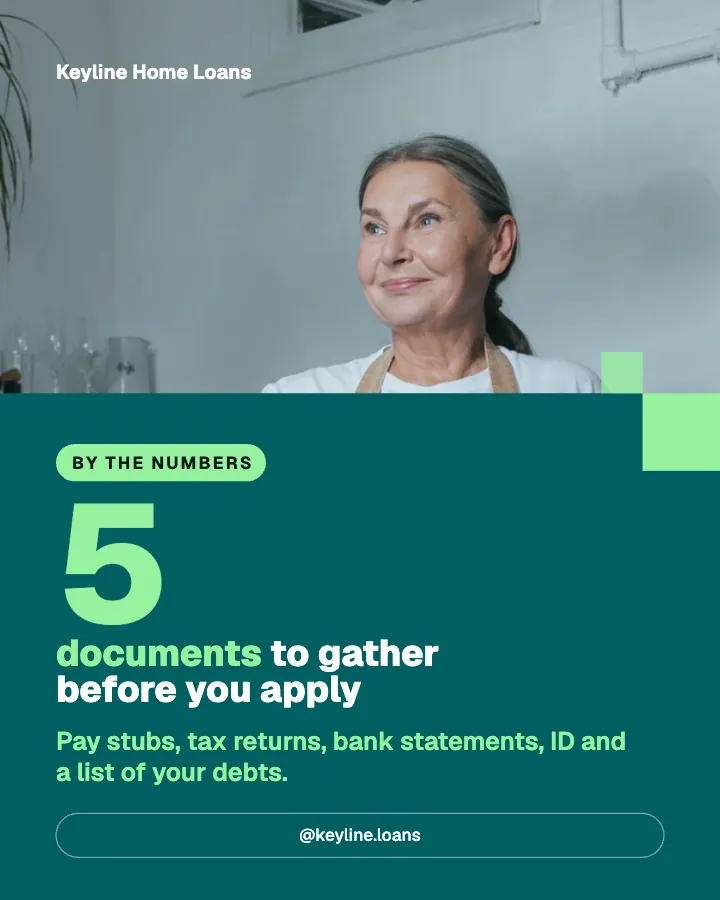
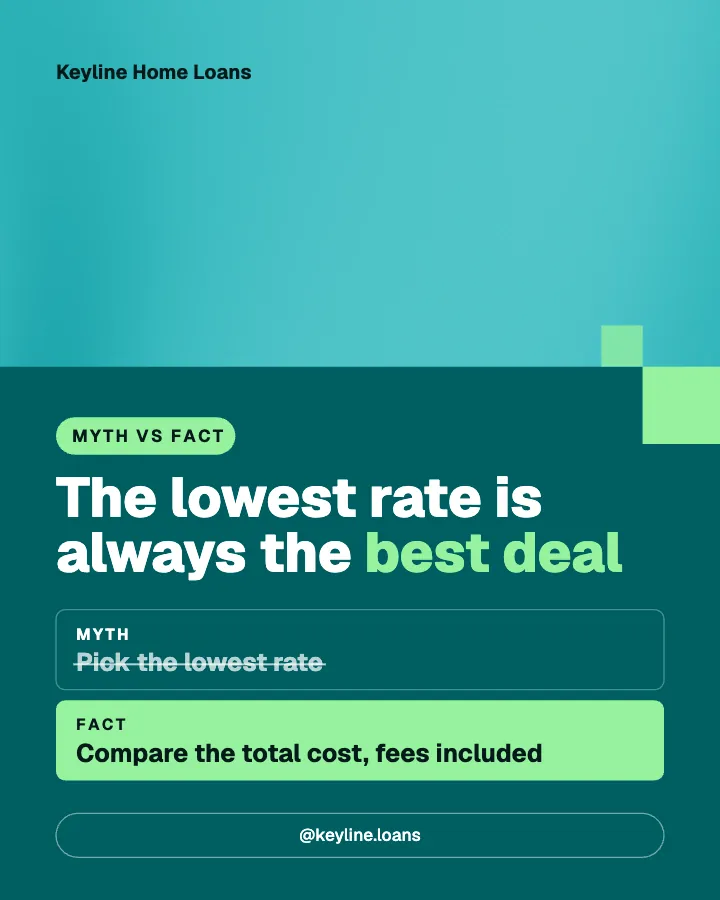
The posts at the top of this page belong to Keyline Home Loans, a fictional mortgage broker whose feed was made with Creobee. Here are six more of its headlines, with the kind of caption that goes under each. None of them quotes a rate, a payment or a loan term: they teach, and the numbers wait for the conversation.
Educate/Checklist
Get ready for pre-approval
Pull your credit report, gather your latest pay stubs and two recent bank statements, and write down your monthly debts: car, cards, student loans. With those ready, the pre-approval conversation goes much faster and you learn where you stand sooner. Save this for the week you start looking.
Educate/FAQ
Is pre-approval the same as pre-qualifying?
No. Pre-qualifying is a quick estimate from what you tell a lender. Pre-approval checks your documents and your credit, so when you make an offer, the seller can see a lender has already looked. If you are serious about buying this year, pre-approval is the step to take.
Educate/Tip
Hold off on new credit cards
A new card, a car loan or a big purchase on credit before closing can change the numbers your approval was based on. It is an easy surprise to avoid. If you need to open anything while your loan is in progress, ask your loan officer first.
Engage/Question
What is stopping you from buying this year?
Saving enough, not knowing where to start, or worry about your credit? Tell us in the comments, or send a message if you would rather keep it private. We will answer the most common one in next week's post.
Educate/Mistake
Changing jobs in the middle of a loan
A new job is good news, but a change in the middle of the process can mean new paperwork and a later closing. If a move is coming, tell your loan officer before you accept the offer, so there is a plan for it.
Promote/Offer
Book a pre-approval planning call
Twenty minutes to look at your documents, talk about a budget you feel good about and map the next steps. You leave knowing what to gather and what happens after. Book through the link in our bio.
Each headline is designed into its post; the caption goes underneath when you post or schedule it.
What loan officers and mortgage brokers should post
Buying a home is one of the biggest decisions your followers will make, and they want a loan officer they understand before they share their numbers. A feed that explains the process, puts myths right and answers the questions people are shy to ask does that work between referrals. The mortgage social media posts that work best:
Myths put right: the lowest rate, what people think they need to put down, credit scores.
Checklists: getting ready for pre-approval, the documents to gather, the weeks before closing.
First-time buyer questions answered: pre-approval versus pre-qualifying, how long it takes, what happens next.
Common mistakes: new credit before closing, changing jobs mid-loan, moving money around.
How you work: the first call, what you look at, how you keep a purchase on schedule.
Offers: a planning call, a document review, a first-time buyer session.
No rates, no terms, and your compliance lines in the caption
Mortgage advertising has rules ordinary marketing does not. In the US, Regulation Z says an ad that states a rate must state it as an annual percentage rate, and naming a down payment, a payment amount or a repayment period brings further disclosures; your NMLS number and an equal housing line are often required too. Creobee does not know those rules, your state's or your company's. It is built not to invent rates, prices, figures or guarantees, and it writes from your description, so the simplest rule is to keep rates and terms out of it. The example feed has none.
The words on the image cannot be edited, so compliance lines go in the caption: add your NMLS number, your company's name and an equal housing line where your rules ask for them, when you post it or on Autopilot while you schedule it. Nothing is published until you download it or schedule it. If your company reviews marketing before it goes out, download the batch and send it for review first.
Mortgage broker social media posts with a professional look
Mortgage feeds look best when they look calm and orderly. Block, the style a Professional voice picks, uses notched color blocks with small accent squares, the supporting line as an accent subtitle and a footer bar with your call to action and handle on every post. Each post takes a look from a grid pattern, so the profile reads as one brand at thumbnail size, and next month's batch continues it.
The layout follows the post: a checklist becomes numbered rows, a myth sits beside the fact with the myth struck through, "5 documents to gather" becomes a big number, a question gets a reply prompt and an offer gets a button. Your brand color is used exactly, every word meets the WCAG AA contrast standard and your logo is on every post. With "Add people" switched on, some posts show real people from a curated library of 30, tinted in your colors. They are library photos, not your borrowers, and never appear on client stories or quotes. No picture is AI-generated.
One batch for the networks borrowers and partners use
Every post is a 1080 by 1350 image with a caption, and Instagram, Facebook and LinkedIn all show that 4:5 shape uncropped, so one batch works on each. LinkedIn is where your realtor partners and referral sources see you, so the same posts do double duty. A batch of up to 30 posts is a month at one a day. On Autopilot you schedule it up to 45 days ahead to Instagram, Facebook Page, LinkedIn, Threads, Pinterest, Bluesky and TikTok. Each post has one caption, used on every network you send it to. It writes posts in English, Spanish, Portuguese, French, German and Turkish, and no other languages.
Mortgage content ranges from one-off packs of templates you fill in to monthly done-for-you services. Creobee sits in between: Solo is $19 a month for 30 designed posts, Autopilot is $39 for 90 posts and posts them for you on Instagram, Facebook Page, LinkedIn, Threads, Pinterest, Bluesky and TikTok, and Pro is $79 for 300 posts and up to 15 connected accounts. That is about $0.63 a post on Solo, and every plan includes every style, your brand color, your logo and captions. Creobee makes still 4:5 posts: no video or Reels, no carousels yet, no replies to comments or DMs and no analytics.
A mortgage post pack vs Creobee
Post packs are a fair choice if you like to design and write captions yourself. This is what each one leaves you to do every month.
Creobee
What you get
Finished posts with captions
Who writes the posts
AI, from your description; you approve every post
Your brand
Your exact brand color and logo on every post
Compliance lines
You add them to the caption before posting
Next month
A new batch that continues the grid pattern
Posting
On Autopilot, to 7 networks
Price
First 3 posts free, no card needed, then from $19 a month
Mortgage post pack
What you get
Editable templates to fill in
Who writes the posts
You, or the pack's generic captions
Your brand
You recolor each template
Compliance lines
You add them
Next month
Buy or fill in another set
Posting
A separate scheduler
Price
A one-off purchase
Feature
Mortgage post pack
Creobee
What you get
Editable templates to fill in
Finished posts with captions
Who writes the posts
You, or the pack's generic captions
AI, from your description; you approve every post
Your brand
You recolor each template
Your exact brand color and logo on every post
Compliance lines
You add them
You add them to the caption before posting
Next month
Buy or fill in another set
A new batch that continues the grid pattern
Posting
A separate scheduler
On Autopilot, to 7 networks
Price
A one-off purchase
First 3 posts free, no card needed, then from $19 a month
Pricing
Pick how much gets done for you
Every plan designs your feed. Pick how many posts, and whether we post them too.
Your logo and brand color, and real people if you want them
Download everything, keep it in your gallery
Recommended
Autopilot
For handing the whole job over
$39/month
90 designed posts a month, captions included
Posted for you on Instagram, Facebook, LinkedIn, Threads, Pinterest, Bluesky and TikTok
Schedule every post you make, in grid order, across 10 accounts
Publishing never uses your posts
Everything in Solo
Pro
For posting every day across several accounts
$79/month
300 designed posts a month, captions included
500 scheduled posts a month on up to 15 accounts
Schedule your own photos too, uploaded from your device
Schedule up to 90 days ahead
Everything in Autopilot
For comparison: freelancers usually charge $300 to $1,500 a month for 8 to 16 posts.
7-day money-back guarantee
Cancel anytime from your dashboard
Your plan starts right after checkout
Questions from loan officers and brokers
Straight answers on pricing, posts, and what Creobee does and does not do.
Posts that teach and reassure: myths put right, pre-approval checklists, first-time buyer questions answered, common mistakes and how you work, with an offer such as a planning call now and then. Keep rates and payment figures out of your feed posts unless your compliance team has approved them.
It is built not to invent rates, prices or figures, and it writes from your description, so if your description has no rates, your posts should not either. It is AI writing, so read every post and leave out any that states a number or a promise you would not publish.
In the caption. The words on the image cannot be edited, so add your NMLS number, company name and equal housing line to the caption when you post it, or on Autopilot while you schedule it. Your logo sits on every image.
No. Creobee is not a compliance tool and does not know federal, state or company rules. You approve every post, and nothing is published until you download it or schedule it. If your company reviews marketing, download the batch and send it for review before anything goes out.
Yes: an independent loan officer, a mortgage broker or a small lending team describes the business the same way. One account holds one business, so a loan officer with a personal brand and a company page needs an account for each; Pro adds posts and connected accounts, not brands.
Block, the professional one, with a footer bar carrying your call to action on every post; it is picked for a Professional voice. Studio suits a loan officer who wants a minimal, quiet feed. Switch in a tap and preview your next nine posts before anything is made.
Solo is $19 a month for 30 designed posts, Autopilot is $39 for 90 posts and posts them for you on Instagram, Facebook Page, LinkedIn, Threads, Pinterest, Bluesky and TikTok, and Pro is $79 for 300 posts and up to 15 connected accounts. Billing is monthly, with a 7-day money-back guarantee.
Partly. Every new account gets 3 finished posts free, with no card and no watermark, so you can see your own brand on real posts before paying anything. After that, plans start at $19 a month for 30 posts, with a 7-day money-back guarantee. They are written from your description, so you judge real posts about how you work.
Describe how you work once. Creobee plans, writes and designs the month, and you add your lines and approve every post. First 3 posts free, no card needed.