
Social media on autopilot

Your social media on autopilot, with your OK on every post.

This is social media on autopilot, the honest version. Creobee plans your month, writes every post and caption, and designs the posts as one feed in your logo and colors. You look through the batch and schedule it in one go, and on the Autopilot plan each post publishes on its day to Instagram, Facebook Page, LinkedIn, Threads, Pinterest, Bluesky and TikTok. It never makes a post on its own or publishes one you did not schedule, so nothing goes out without your OK, and a month of posts takes you one sitting.

First 3 posts free, no card needed. Paste your website and your first posts are written from your real products and prices.

Open Door Coaching post: "Update your LinkedIn before you apply" (tip, Studio style)
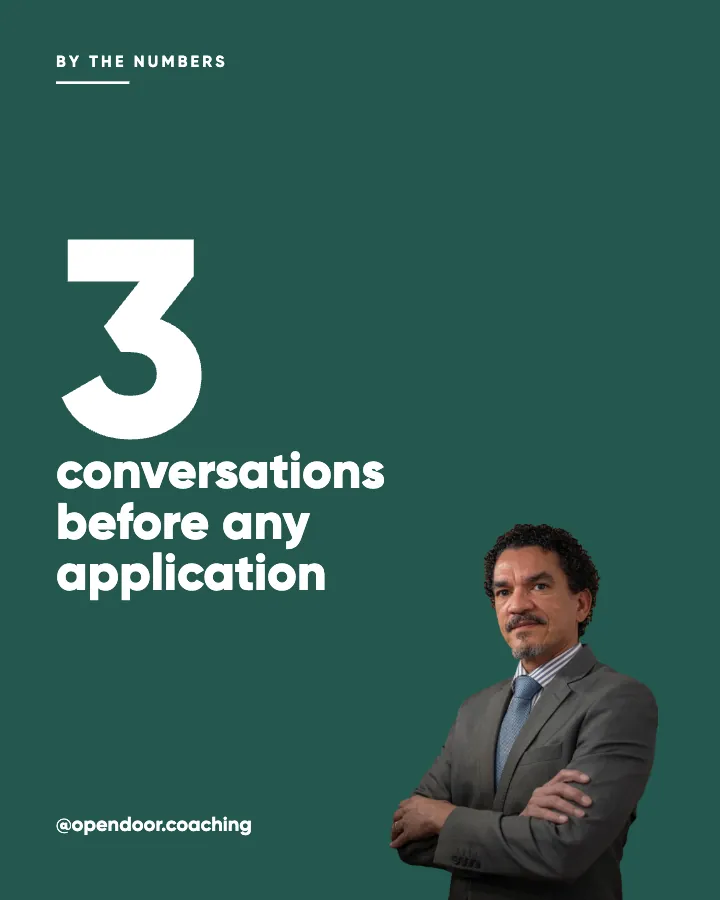
Open Door Coaching post: "3 conversations before any application" (number, Studio style)

Example posts for a fictional career coach, made with Creobee.

How it works

  1. 01

    Make the month

    Describe your business once. Each batch plans, writes and designs up to 30 posts as one feed. You make a batch whenever you need one; Creobee never starts one by itself.

  2. 02

    Approve it and schedule it once

    Look through the batch as your profile grid and leave out anything that is not you. Drop the rest onto the calendar: one post per posting day, on the days you pick, at your default time, up to 45 days ahead on Autopilot and 90 on Pro. Change a caption or move a post while you are there.

  3. 03

    Let it publish

    On Autopilot, each post goes out on its day to the accounts you connected, in the order it was made, so your grid pattern holds. You get on with the business while the feed keeps going.

What one scheduled batch can hold

Six posts from one batch for an imaginary window cleaning company, in the order they would go out. Once they are scheduled, they publish on their days while the owner is up a ladder.

  • EducateTip

    Clean windows on a cloudy day

    Sunshine dries the water before you can wipe it, and that is where the streaks come from. Pick a dull, dry morning, work from the top down, and finish with a dry microfiber cloth instead of paper towel. The glass will look better than it does after a sunny Saturday of scrubbing.

  • EngageQuestion

    Which window do you never get to?

    The one above the stairs, the skylight, or the back of the conservatory? Everyone has one they have given up on. Tell us yours in the comments, and we will tell you how we reach it.

  • Behind the scenesDay in the life

    Six streets before lunch

    7:30am: the van is loaded with poles, ladders and pure water. By noon we have done six streets on the regular round and knocked on two doors to say we will be back next month. Most customers never see us. They just notice the light is better.

  • Social proofObjection

    Is a window cleaner worth it?

    If you have the time and a safe way up, you can do it yourself. Most of our customers call us for the upstairs windows, the frames and the sills, and because they would rather spend a Saturday on something else. We are happy either way. We would just rather you did not climb the ladder.

  • TimelySeasonal

    Spring pollen is on its way

    In a few weeks a yellow film will settle on every window on the street. One clean before the pollen arrives and one after it has settled keeps the glass clear through the season. Our spring round starts next month.

  • PromoteOffer

    Our round now covers the east side

    We have added the streets east of the park to our monthly round. New customers there get their first clean at half price this month, with no contract. Send us your street and we will tell you your day.

Each headline is designed into its post; the caption goes underneath when you post or schedule it.

What social media on autopilot means here

"Autopilot" means different things in different tools. In some, an AI decides what to post, makes it and publishes it with nobody looking. In others, it only means a scheduler that posts what you already made. Creobee sits in between, and it is worth being exact about which part runs by itself.

Creobee does the making: the plan for the month, every headline and caption, and the design of every post as one feed. You make a batch when you want one and look through it. After that, scheduling is the only step left: drop the batch onto the calendar once, and on the Autopilot plan each post publishes on its day. It never generates new posts by itself, and it never publishes anything you did not schedule.

What runs by itself, and what stays with you

The split, plainly:

  • Runs by itself: publishing each scheduled post on its day, to every account you picked for it, in the order it was made.
  • Runs by itself: your grid pattern, which holds because posts go out in order, and carries on into next month's batch.
  • Stays with you: deciding when to make a batch. It takes one sitting, and nothing starts until you start it.
  • Stays with you: approving the posts. Leave out any you do not want, and change a caption while you schedule.
  • Stays with you: replies to comments and messages, Reels and Stories, and anything you film.

Batching workflows that keep your content going

The limits, straight from the plan

Autopilot is $39 a month. It includes 90 designed posts, 100 scheduled posts a month and up to 10 connected accounts across 7 networks: Instagram, Facebook Page, LinkedIn, Threads, Pinterest, Bluesky and TikTok. One post sent to three accounts counts once, and publishing never uses your posts. Pro is $79 for 300 posts, 500 scheduled posts and 15 accounts. Solo, at $19, makes the posts but does not publish them: you download them and post them yourself.

Instagram needs a Business or Creator account linked to a Facebook Page; personal profiles cannot be connected. Creobee makes still 4:5 posts: no video or Reels, no carousels yet, no replies to comments or DMs and no analytics.

How the posting works

You connect each account once, through the network's own sign-in screen, so Creobee never sees your password, and you can disconnect it at any time. Posts are placed one per posting day (every day, weekdays or the days you choose) at your default time, and you can drag any post to another day before it goes out.

If a connection stops working, for example after you change a password, Creobee emails you, so the posts waiting for that account do not fail without anyone knowing. A weekly rhythm on your dashboard counts the posts that actually went live against the target for your goal.

A 90-minute weekly content planning routine

Why your OK stays in the loop

AI writing is good, and still not perfect. A date can be wrong, a caption can promise more than you would, a post can land in the wrong week. Posting with nobody looking saves a few minutes a month and puts your name on words nobody read.

Creobee keeps one look through the batch in the loop. It is the only part of the month that needs you, and it is short: you read finished posts, as a grid and one by one, instead of writing and designing them.

A quality checklist for AI-written posts

Hands-off autopilot tools vs Creobee

As of September 2026, some tools create and publish posts with nobody making a batch. Predis's Rise plan automatically generates up to 2 posts a day per brand, which can be reviewed before they go out, and Apaya lets you switch on automatic publishing for the campaigns you choose. If fully hands-off is what you want, they go further than Creobee. This is the trade.

  • Creobee

    Who decides to make posts
    You, when you make a batch
    Approval
    Always: nothing publishes unless you scheduled it
    What the posts are
    Designed 4:5 posts as one feed, no AI-generated images
    Your grid
    Published in order, so the grid pattern holds
    Networks
    Instagram, Facebook Page, LinkedIn, Threads, Pinterest, Bluesky and TikTok
    Time from you
    One sitting to make, check and schedule a batch
  • Hands-off autopilot tools

    Who decides to make posts
    The tool, on a schedule
    Approval
    Depends on the tool; some can publish with no review
    What the posts are
    Depends on the tool: templates, AI images, video
    Your grid
    Depends on the tool
    Networks
    Depends on the tool
    Time from you
    Close to none

Pricing

Pick how much gets done for you

Every plan designs your feed. Pick how many posts, and whether we post them too.

Not sure yet? First 3 posts free, no card needed

Solo

For making your posts and posting them yourself

$19/month

  • 30 designed posts a month, captions included
  • Your month planned around your goal
  • Every style, grid pattern and brand color
  • Your logo and brand color, and real people if you want them
  • Download everything, keep it in your gallery
Recommended

Autopilot

For handing the whole job over

$39/month

  • 90 designed posts a month, captions included
  • Posted for you on Instagram, Facebook, LinkedIn, Threads, Pinterest, Bluesky and TikTok
  • Schedule every post you make, in grid order, across 10 accounts
  • Publishing never uses your posts
  • Everything in Solo

Pro

For posting every day across several accounts

$79/month

  • 300 designed posts a month, captions included
  • 500 scheduled posts a month on up to 15 accounts
  • Schedule your own photos too, uploaded from your device
  • Schedule up to 90 days ahead
  • Everything in Autopilot

For comparison: freelancers usually charge $300 to $1,500 a month for 8 to 16 posts.

  • 7-day money-back guarantee
  • Cancel anytime from your dashboard
  • Your plan starts right after checkout

Questions about social media on autopilot

Straight answers on pricing, posts, and what Creobee does and does not do.

  • The posting part, yes, on Autopilot and Pro: once you schedule a batch, every post publishes on its day. The making needs you for one sitting, because you make the batch and approve it. Creobee never makes or publishes posts on its own, and it does not reply to comments or messages.

  • No. A new batch is made only when you make one, and it is left that way on purpose, so nothing goes out that nobody has read. One batch is up to 30 posts, which is a month at one a day. If you want a tool that generates and posts with nobody involved, look at tools with a hands-off autopilot mode.

  • Instagram, Facebook Page, LinkedIn, Threads, Pinterest, Bluesky and TikTok, across up to 10 connected accounts and 100 scheduled posts a month. Pro raises that to 15 accounts and 500 scheduled posts. Instagram needs a Business or Creator account linked to a Facebook Page.

  • The publishing, yes. Connect an Instagram Business or Creator account, schedule the batch, and each post goes out on its day at your default time, in grid order. The posts themselves are made when you make a batch, so there is still one sitting a month that needs you. Creobee does not post Reels or Stories, and it does not automate comments or messages.

  • Up to 45 days on Autopilot and 90 on Pro. Drop a batch onto the calendar and it places one post per posting day (every day, weekdays or the days you choose) at your default time. You can drag any post to another day or change its caption before it goes out.

  • Creobee emails you when a connection that has posts scheduled to it stops working, for example after a password change, so you can reconnect it from the publishing page before more posts are missed.

  • Solo is $19 a month for 30 designed posts, Autopilot is $39 for 90 posts and posts them for you on Instagram, Facebook Page, LinkedIn, Threads, Pinterest, Bluesky and TikTok, and Pro is $79 for 300 posts and up to 15 connected accounts. Solo makes the posts but does not publish them. Billing is monthly, cancel any time, with a 7-day money-back guarantee.

  • Partly. Every new account gets 3 finished posts free, with no card and no watermark, so you can see your own brand on real posts before paying anything. After that, plans start at $19 a month for 30 posts, with a 7-day money-back guarantee. Publishing needs Autopilot or Pro, so the starter posts are for downloading and judging the posts themselves.

Make the month once, then let it post

Describe your business and Creobee plans, writes and designs the posts. Schedule them once on Autopilot and they go out on their days. First 3 posts free, no card needed.

Make 3 posts free

First 3 posts free, no card needed.