Small Business Saturday 2026 Instagram Post Ideas
Small Business Saturday is November 28, 2026. A five-post plan for the week, ideas for before, on and after the day, and the other dates worth a post.
Small Business Saturday 2026 is on Saturday, November 28. The U.S. Small Business Administration gives that date and says the day "was founded by American Express in 2010 and officially cosponsored by SBA since 2011", and American Express's Shop Small page gives the same date as the Saturday after Thanksgiving (both checked November 4, 2026). You can check it yourself: November 1, 2026 is a Sunday, so the Thursdays fall on the 5th, 12th, 19th and 26th, Thanksgiving is the fourth of them, and the Saturday after is the 28th.
In the UK it is a different day: Small Business Saturday UK lists December 5, 2026. Everything below works for either; move the dates.
Why the day is worth a few posts
Small Business Saturday sits between Black Friday on November 27 and Cyber Monday on November 30, the loudest weekend of the retail year, and most of that noise is about discounts. This is the one day about who people buy from rather than how cheaply, so a small business can say "come to us" without sounding pushy. You do not need a discount to take part; a reason to visit is enough. American Express also keeps a page of free Shop Small marketing materials for small businesses.
Five posts for the week
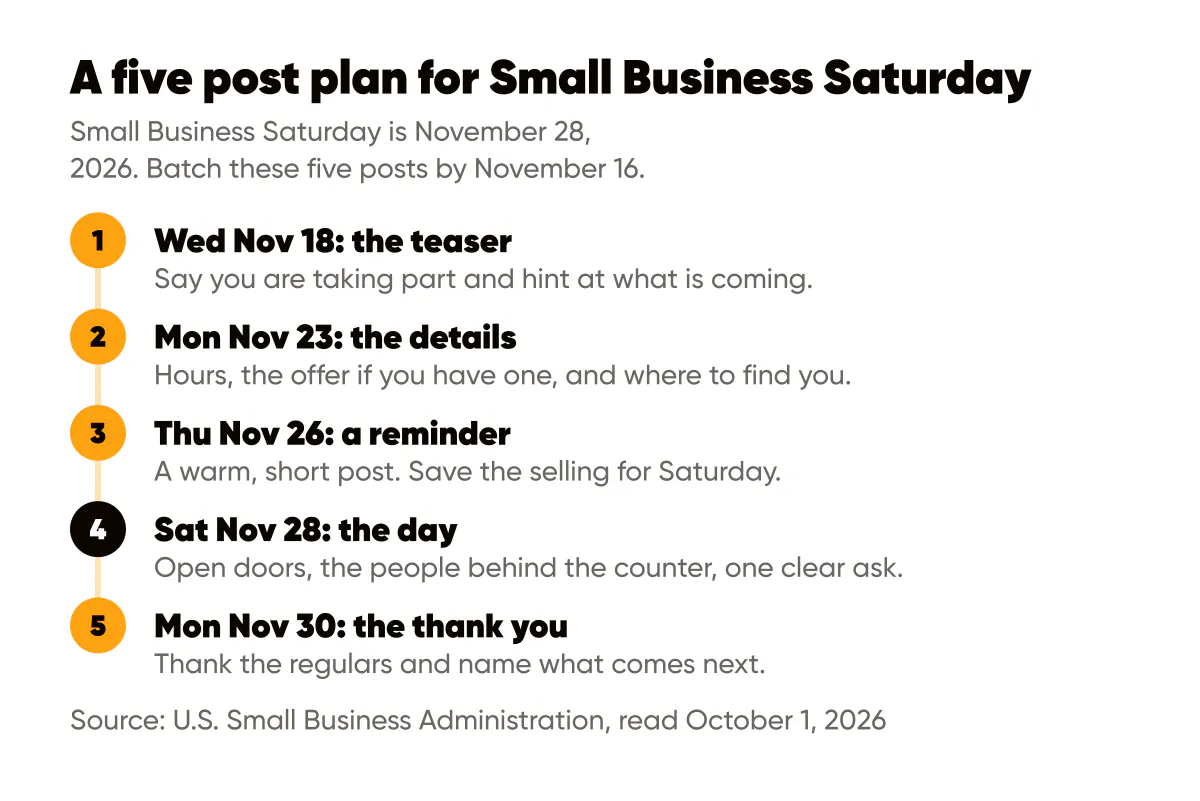
Five feed posts cover it. Write them in one sitting by Monday, November 16, and schedule them, so the week itself goes to customers.
| When | Post | What it says |
|---|---|---|
| Wednesday, November 18 | The teaser | You are taking part, and something is coming on the 28th |
| Monday, November 23 | The details | Your hours that day, the offer or event if there is one, where to find you |
| Thursday, November 26 | A reminder | Short and warm. Thanksgiving is not the day to sell hard |
| Saturday, November 28 | The day | Doors open, the people behind the counter, one clear ask |
| Monday, November 30 | The thank you | Thank the people who came, and say what is next |
Stories on the day are extra: the queue, the first customer, the shelves at noon. Those are best made live, which is why the feed posts should be done in advance.
Ideas for the week before
People plan their Saturday on Thursday or Friday, so these need to land before then.
- "We're taking part." "Small Business Saturday, November 28" on the image, and why it matters to you in the caption.
- The reason to choose you. Not "shop small" in general but the one thing a chain cannot give: the owner knows your name, the recipe is your grandmother's, the repair comes with advice.
- A sneak peek of what you are preparing: the new product on the shelf, the event poster going up.
- The details. Hours, address, parking, whether you take bookings.
- A neighbor shout-out. Name two other small businesses on your street you would send people to. A Collab post puts one post on both your profiles.
The teaser and the details post are the two that matter. The rest are there if you have more to say.
Ideas for the day itself
On the day people are deciding where to go in the next hour. Post early, keep it short, make the ask obvious.
- "We're open." The door, the sign, the hours, posted before you open.
- Meet the team. One photo, first names, what each person does.
- The one thing to try. Your best seller, the thing first-timers should order, the service people rebook.
- Behind the scenes. The early prep, the chalkboard being written.
- Thanks in real time. Late afternoon, with a photo of the shop. Never post customers without asking.
Ideas for after
Most businesses stop posting on Saturday night, and that is when the people who came want to be seen.
- The thank you. Give a number only if it is real and you are happy to share it, or just say it mattered.
- What is next. Gift cards for December, holiday hours, January bookings.
- A customer's words. With permission, one real sentence from someone who came in.
- "Missed it?" For online sellers: what still ships in time for the holidays.
By type of business
The timeline stays the same. What changes is what you show and what you ask for.
| Business | Before the day | On the day | After the day |
|---|---|---|---|
| Café or bakery | The special you are baking only for the 28th | The counter at opening, first tray out of the oven | What sold out, and preorders for December |
| Boutique or gift shop | Three gifts under a set price | The shop floor, gift wrapping at the counter | Gift cards and holiday hours |
| Hair or beauty salon | Open chairs that week, a gift voucher | The team, a finished style (with permission) | January booking dates |
| Gym or fitness studio | A free class or a bring-a-friend session | The class in full swing, the coaches | Your January start dates |
| Accountant, coach or other service | A short free call or a checklist | The person behind the business | One useful tip for year end |
| Maker or online shop | What ships in time for the holidays | A packing table full of orders | Order-by dates for December |
There are fuller lists for coffee shops, bakeries and hair salons.
The week on a fixed posting pace
If you already post on a schedule, the event week does not need a new one. Here is what we got when we laid the week of November 23 over the Light pace in Creobee's week planner (its pace table, read November 4, 2026; the planner does not know about the holiday, so the topics are ours):
| Day | Slot | What goes in it |
|---|---|---|
| Mon, Nov 23 | 10:00 post, 12:30 story | The details post; a story of the preparations |
| Tue, Nov 24 | 10:00 carousel | Three gifts or three reasons to choose you, one per slide |
| Wed, Nov 25 | 12:30 story | A short reminder of Saturday's hours |
| Thu, Nov 26 | 10:00 post | The warm Thanksgiving reminder, no selling |
| Fri, Nov 27 | 10:00 post, 12:30 story | "Tomorrow": what to try first; a story of the shelves being stocked |
| Sat, Nov 28 | 10:00 carousel | The day: the team, the one thing to try, the hours |
| Sun, Nov 29 | 12:30 story | Thanks, with a photo of the shop |
The pace puts its carousels on the second and sixth days of the week, so a week started on Monday lands Small Business Saturday on a carousel slot, which suits a "meet the team" post, and Thanksgiving on a single quiet post. The teaser goes in the week before, and the thank-you post on Monday, November 30, at the start of the next week. The posting schedule template has the full Light, Regular and Full weeks.
Other dates around it
The weekend is part of a run of dates, checked November 4, 2026. Pick the ones that connect to what you sell and skip the rest:
- Black Friday, November 27, and Cyber Monday, November 30. Selling harder than usual is expected this week, and you still do not have to discount: a bonus added to the normal price, a bundle, or booking now for January at this year's price all keep your margin.
- GivingTuesday, December 1. GivingTuesday lists December 1, 2026. Worth a post if you support a local cause; otherwise skip it.
- Gift timing, early December. Gift cards, vouchers and order-by dates, before attention fades.
- The holiday close, around December 24 to 27. Your hours, a thank you, very little selling. Christmas Day falls on a Friday this year.
- Year end. A short look back at the year and what is coming, which often makes a good proof post.
Captions to adapt
Replace the details in capitals with your own.
Small Business Saturday is November 28. We'll be open from TIME to TIME with SOMETHING SPECIFIC. Come say hi, and bring someone who hasn't been in yet.
Every CUP / CUT / PIECE we sell this Saturday is made by the X people in this photo. Thank you for choosing small this weekend.
No doorbuster deals here. Just the PRODUCT or SERVICE you come back for, and a thank you for the year. See you Saturday.
If you run an offer, keep it to one offer with one end date. The calls to action guide covers one ask per post and whether to put your prices in a post.
A few rules for the week
- Put the date on the image. People scroll past captions; "Saturday, November 28" in large type does the work.
- Keep your usual look. A seasonal post in your normal fonts and colors is recognized as yours; a one-off festive template is not.
- Ask before you post customers. Photos of the shop are fine; photos of people need a yes.
- Do not stop on Sunday. The thank-you post and the "what is next" post carry the weekend into December.
Where Creobee fits
Creobee is our product, so read this part with that in mind. You describe your business once and it makes finished posts in your brand color with your logo, laid out as one feed, so a seasonal week still looks like you. Add the date and your plans to your business description and read every post before it goes out: it writes only from what you tell it, so it does not know your Saturday plans otherwise. Its weeks are planned on paces like the one above, with posts, carousels and stories.
What it does not do: no filmed video, so the live moments on the day are yours to film, and no replies to comments. Publishing is on the Autopilot and Pro plans; on Solo you download the posts. You see your first 3 posts free before choosing a plan, and the Instagram templates for small business page shows the styles.
Put it into practice
Turn this into posts designed for your feed
Paste your website or say what you do. Creobee plans, writes and designs your posts about it as one feed in your logo and colors, captions included, and on Autopilot it posts them for you.
How the AI Instagram post generator works