Social Media Caption Prompts: 25 AI Templates
Social media caption prompts to copy: 25 fill-in-the-blank AI templates for ChatGPT or any tool, grouped by goal: educate, story, proof, offer and engage.
These 25 prompt templates each ask for one caption with one goal, and each has capitalized blanks like AUDIENCE, PROBLEM and DETAIL that you replace with your own specifics. Fill the blanks with real information from your business, generate three variants, and edit the best one before posting.
How to use these AI prompt templates for social media captions
Every template below follows the same four-part shape: who the caption is for, what it should do, how it should sound, and one specific detail only you can supply. The blanks are the capitalized words. AUDIENCE is your reader described in their own terms. PROBLEM is what they are stuck on. TOPIC is the subject of the post. DETAIL is a number, date, mistake or observation from your real work. TONE is your three tone words. CTA is the single action you want.
Put your tone words and banned phrases at the top of every prompt. I keep mine as a saved block: "Tone: direct, practical, warm. Never use game-changer, unlock, elevate, seamless, journey." That block plus one template is the whole prompt. If you have not built a tone block yet, the brand voice guide for AI takes about twenty minutes.
What should every caption prompt include?
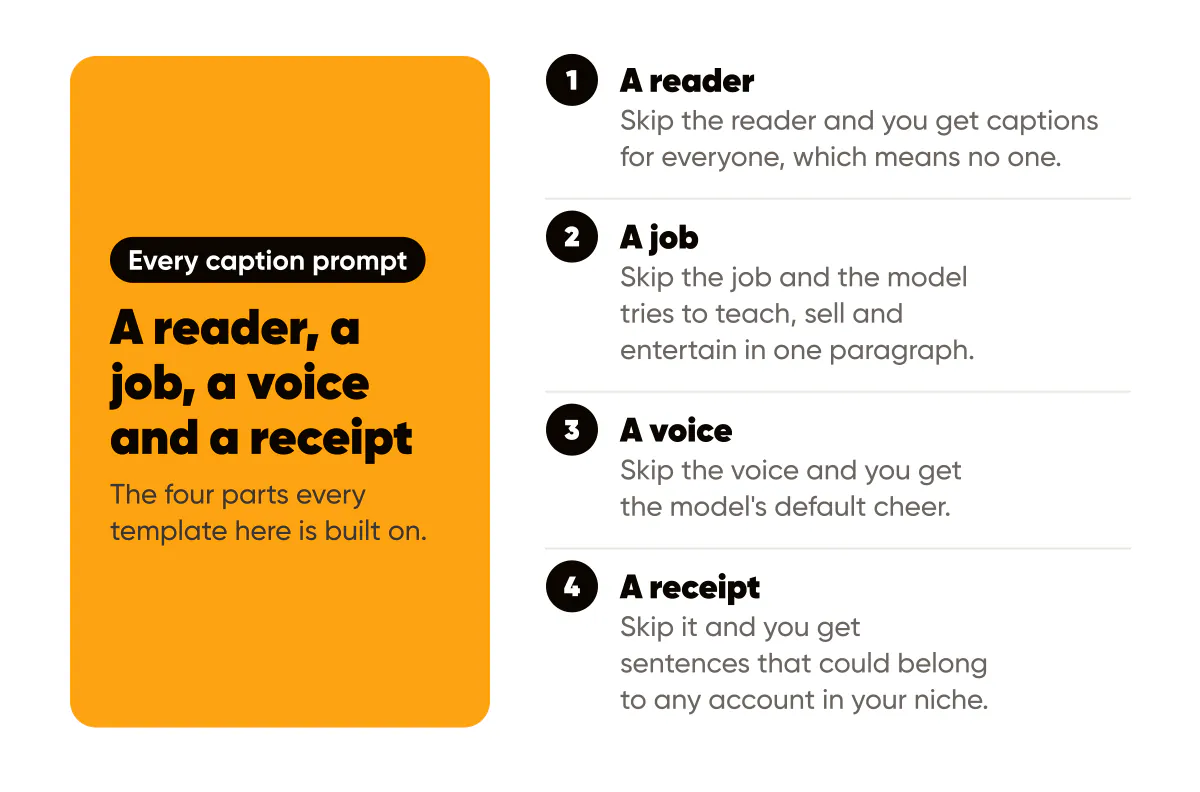
A reader, a job, a voice and a receipt. Skip the reader and you get captions for everyone, which means no one. Skip the job and the model tries to teach, sell and entertain in one paragraph. Skip the voice and you get the model's default cheer. Skip the receipt and you get correct sentences that could belong to any account in your niche. The AI caption generator guide explains each of these failures and the two-minute edit that fixes them.
How do you fix a bland first draft?
Do not rewrite the prompt from scratch. Reply to the model with one of three follow-ups: "Make the first sentence a specific scene, not a statement." "Replace every general claim with DETAIL." "Cut it to 60 words and keep only one CTA." Two rounds of this beats five fresh prompts. When the draft is still flat, the problem is nearly always an empty DETAIL blank, so go find a real one.
Educate: five prompts that teach one thing
- Write a caption for AUDIENCE who struggle with PROBLEM. Teach one counterintuitive fix in under 80 words, using DETAIL as the example. TONE. End with CTA.
- Write a caption that corrects a common myth AUDIENCE believe about TOPIC. State the myth in the first line, the truth in the second, and DETAIL as evidence. TONE.
- Write a caption listing three mistakes AUDIENCE make with TOPIC, one line each, then one sentence on which mistake matters most and why, based on DETAIL. TONE.
- Write a caption that explains TOPIC to AUDIENCE the way you would explain it to a smart friend over coffee, with no jargon. Include DETAIL. Finish with a CTA asking them to save it.
- Write a caption that gives AUDIENCE a five-minute exercise to make progress on PROBLEM today. Number the steps. Mention DETAIL as the result you saw. TONE.
Story and proof: ten prompts built on receipts
Prompts 6 to 10 tell a story from your own experience. Prompts 11 to 15 show a result, and every result must be real, documented and shared with permission.
- Write a caption about the moment I realized DETAIL. Open with the scene, not the lesson. Close with the one thing AUDIENCE can take from it. TONE, first person, no moral at the end.
- Write a caption about a mistake I made with TOPIC, what it cost (DETAIL), and what I do differently now. Keep it honest and unflattering. TONE.
- Write a caption describing an ordinary day in my work as a ROLE, focusing on one small moment (DETAIL) that AUDIENCE would recognize. No sales language.
- Write a caption about why I started BUSINESS, told through one specific frustration I had as a customer. Include DETAIL. End by connecting it to AUDIENCE.
- Write a caption about a client situation (anonymized) where PROBLEM looked unsolvable, what we tried first, and what actually worked, using DETAIL. TONE.
- Write a caption sharing a result: DETAIL, achieved over TIMEFRAME, for a client who started with PROBLEM. State what did not work first. No superlatives. TONE.
- Write a caption around this client quote: QUOTE. Do not paraphrase the quote. Add one sentence of context about who they are and one about what changed. Mention that it is shared with permission.
- Write a caption showing a before and after for TOPIC, with the before in one line, the after in one line, and DETAIL as the measurable difference. TONE.
- Write a caption explaining my process for TOPIC in four steps, and mention DETAIL as the point where most people quit. Frame the process as proof I have done this repeatedly.
- Write a caption answering the question AUDIENCE ask me most often about TOPIC, and include DETAIL from how I answered it last time. TONE.
Offer: five prompts that sell without discounting
- Write a caption for OFFER aimed at AUDIENCE with PROBLEM. Lead with the outcome, then who it is for, then what is included in one line, then DETAIL as proof, then CTA. No urgency unless DEADLINE is real.
- Write a caption that names who OFFER is not for, in two honest lines, then who it is for, then CTA. TONE.
- Write a caption that answers the top objection AUDIENCE have about OFFER, which is OBJECTION, using DETAIL. Do not dismiss the objection. End with CTA.
- Write a caption announcing that OFFER opens on DATE, with one sentence on what changed since the last round (DETAIL) and one on what to do now. TONE.
- Write a caption for a low-commitment first step toward OFFER (a free resource, a call, a checklist) for AUDIENCE. Describe exactly what they get and how long it takes. One CTA.
Engage: five prompts that start conversations
- Write a caption asking AUDIENCE one specific question about PROBLEM that can be answered in one word or one number. Give my own answer first (DETAIL). TONE.
- Write a caption presenting two approaches to TOPIC, one line each, and asking AUDIENCE which they use. Include DETAIL about which I use and why.
- Write a caption inviting AUDIENCE to share their biggest frustration with TOPIC, and promise to reply to every comment. Mention DETAIL from a comment last time.
- Write a caption that states a mildly unpopular opinion about TOPIC, backs it with DETAIL, and invites disagreement. TONE, no hedging.
- Write a caption asking AUDIENCE to tag one person who is dealing with PROBLEM right now, and explain in one line why this post will help them. Include DETAIL.
Pick five templates this week
Map templates to your content pillars. If you run three pillars, pull two educate prompts, one story, one proof and one engage per week, and add an offer prompt only in weeks when you are actually selling. The content pillars guide shows how to set those themes so the DETAIL blank always has something to draw from.
Then structure the output. A prompt gets you the raw material; a framework arranges it so the first line stops the scroll and the last line asks for one thing. The Instagram caption frameworks post covers hook, body and CTA structures, and Copyblogger's Copywriting 101 is the plainest free grounding in why specificity sells. For opening lines in particular, the viral hook formulas pair well with templates 1, 2 and 24.
So this week: pick five templates, one per group. Fill the blanks with real details from the last seven days, generate three variants each in whatever AI caption generator you use, and keep one. That is five captions in well under an hour. Check each against Google's helpful, people-first content guidance in spirit: would this be worth reading if you did not know who wrote it? If yes, post it. If no, the blank was empty, and the fix is a better DETAIL, not a better prompt.
If you want the persuasion layer behind these templates, the four marketing frameworks that make AI captions persuasive show how to encode StoryBrand, Purple Cow, Hook Point and the value ladder into a prompt.

Put it into practice
Turn this into posts designed for your feed
Paste your website or say what you do. Creobee plans, writes and designs your posts about it as one feed in your logo and colors, captions included, and on Autopilot it posts them for you.
How the AI Instagram post generator works