Instagram Grid Layout Ideas That Still Work With Reels
Instagram grid layout ideas for a business feed: checkerboard, columns, diagonal and one look, why row and puzzle layouts break, and where Reels fit.
The Instagram grid layout ideas that still work are the ones whose pattern repeats every 2, 3 or 4 posts: a checkerboard, columns, diagonal lines, or one look on every post. Those four keep their shape no matter how many posts you add. Row layouts, puzzle feeds and color bands look great in a mockup and fall apart the day you post one thing out of order, which these days usually means a Reel.
Below: why the grid behaves this way, what the 3:4 tiles cut from your posts, four layouts that hold with a real example, three that break, and how to fit Reels in without wrecking the pattern.
The short answer: patterns that repeat every 2, 3 or 4 posts
Your profile grid has three columns, newest post at the top left. Every new post pushes every other tile one place along. Nothing stays where you put it.
That one rule decides which layouts survive:
- Repeats every 2 posts (photo, text, photo, text): the shift turns it into a checkerboard, and a checkerboard stays a checkerboard after any number of posts.
- Repeats every 3 posts (A, B, C): each look stays in its own column, because three posts fill exactly one row.
- Repeats every 4 posts (A, B, C, B): the looks run in diagonal lines across the grid, and the lines keep running.
- Repeats every post (one look): nothing to break.
Any other sequence, such as three of a kind per row, breaks the moment the post count stops being a multiple of the pattern. You can test this in a minute with the free Instagram grid planner: add one extra image at the top and watch which layouts survive.
Your Instagram grid is 3:4 now
Since early 2025 the profile grid shows portrait 3:4 tiles instead of squares. Your posts did not change shape, so the grid crops them. The best post size is still 1080 x 1350 (4:5), and here is what each common size loses in a tile:
| Post size | What the tile shows | What the grid hides |
|---|---|---|
| 1080 x 1350 (4:5 post) | 1012 x 1350 | about 34 px on each side |
| 1080 x 1080 (square post) | 810 x 1080 | 135 px on each side |
| 1080 x 1920 (9:16 Reel) | 1080 x 1440 | 240 px at the top and bottom |
So a 4:5 post loses almost nothing, as long as no word or logo sits in those outer 34 px. That is why every layout below assumes 4:5 posts. The reasons go deeper than the grid, and they are in why 4:5 portrait is the best Instagram post format. To check one post before it goes up, the Instagram post crop preview draws the tile's edges over it.
Instagram grid layout ideas that hold
Each idea below works with any kind of post. The trick is to give every post a "look" (photo, solid brand color, light background) and let the pattern decide which look comes next.
1. Checkerboard
Two looks, alternating: a photo post, then a text post on your brand color, then a photo again. It is the easiest layout to start and the easiest to read from across a room, which suits a gym, a salon or a shop with strong product photos. The risk is monotony after a few months, so vary what is in the photos rather than adding a third look.
2. Columns
Three looks, one per column: for example light, color, photo. This is the most forgiving Instagram grid layout for business, because each column can carry a different job. Many owners put tips and questions on the light tiles, offers and reminders on the color tiles, and people or products on the photo tiles. It is also Creobee's default pattern. Here is what it looks like on a real feed:


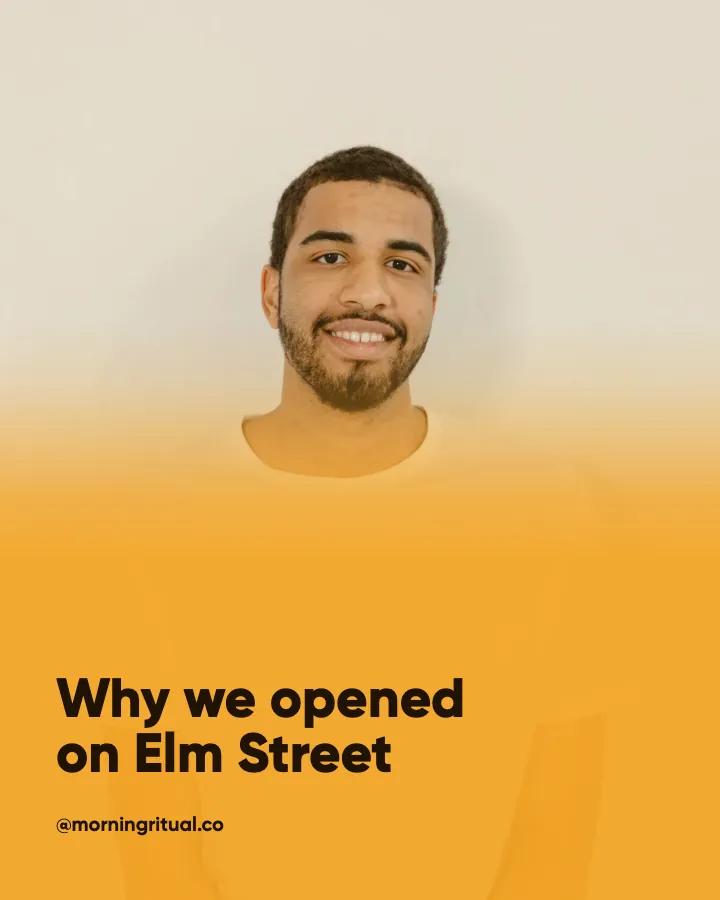
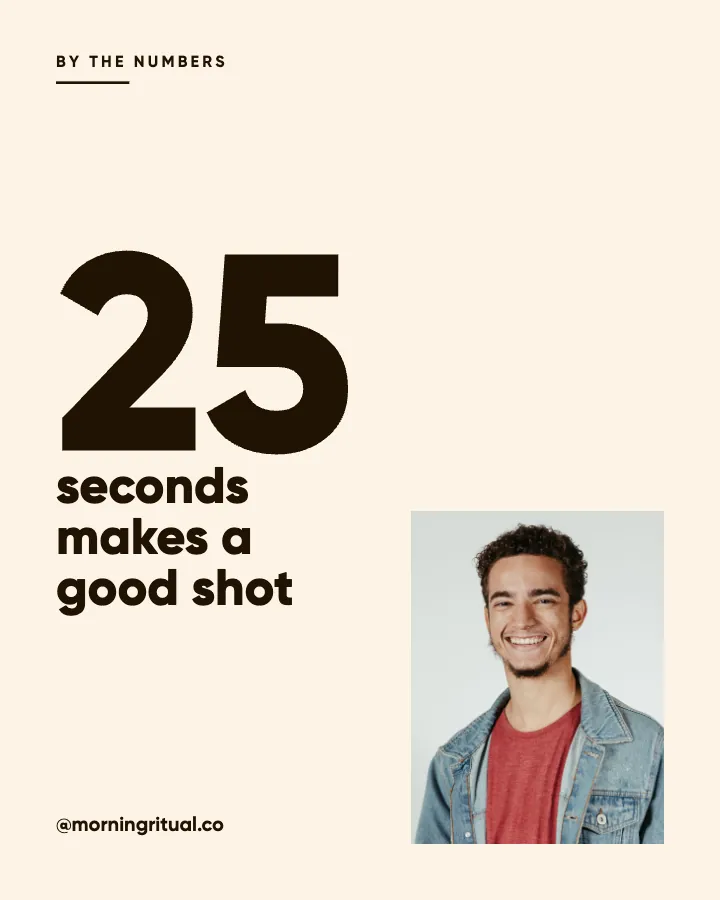
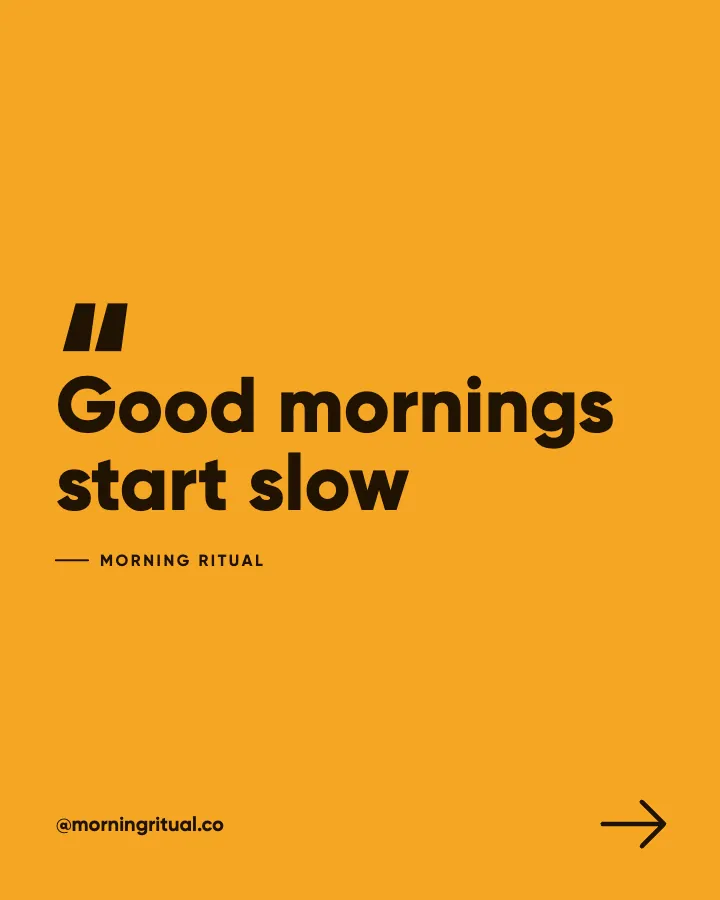

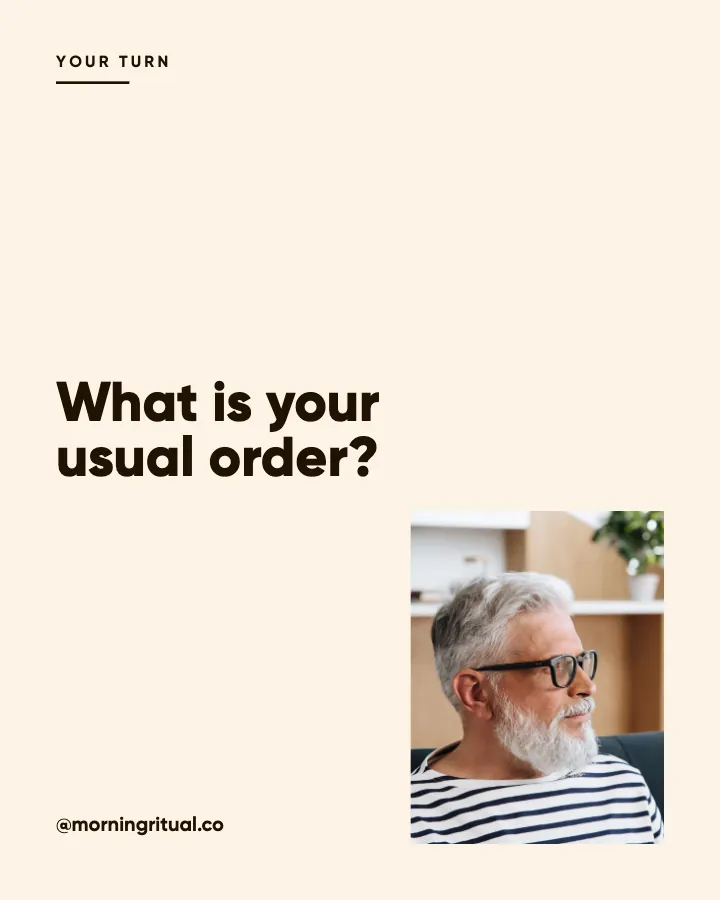
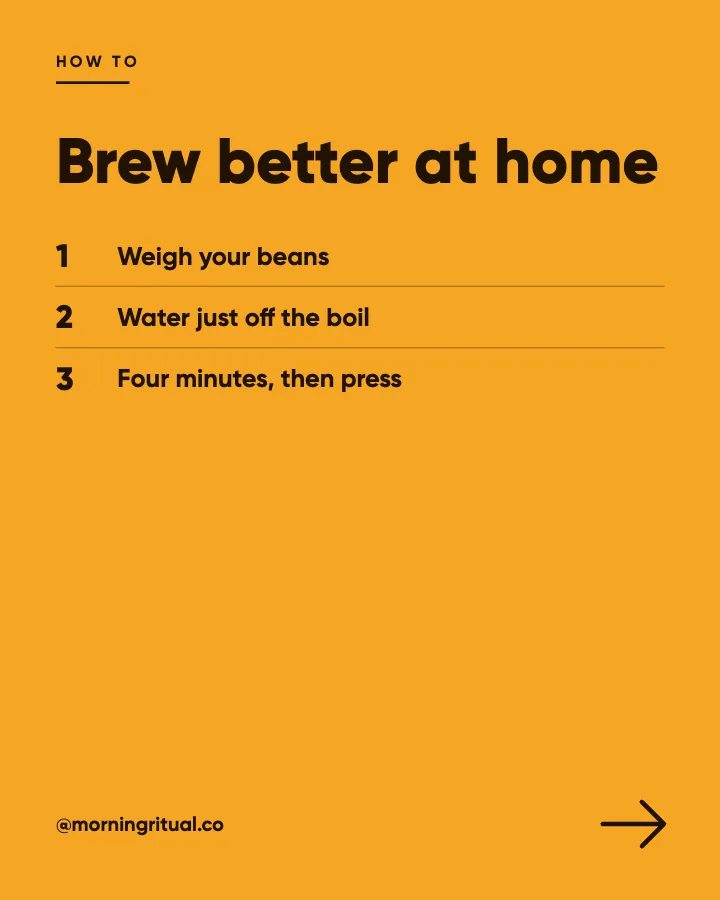

Notice that the topics change on every tile (a seasonal drink, a reminder, a quote, a how-to) while the columns stay put. Post three more and the newest three slide in at the top; every column keeps its look.
3. Diagonal
Four steps on three looks: photo, color, light, color, then repeat. Because the color tile comes back every other post, the looks run in diagonal stripes. It reads as more designed than a checkerboard and suits a brand that posts a lot of typography: a bakery's offers, a coach's quotes, a bookkeeper's tips. It needs about two rows before the stripes show, so judge it on nine tiles, not three.
4. One look
Every post in the same look, usually full-bleed photos with one headline style. This is the safest layout for a photographer, a restaurant with great food photos or an account that will post Reels often, because there is no pattern for a stray post to break. What holds it together is the type, the palette and the logo position, which is covered in how to create a cohesive Instagram feed that lasts.
All four of these can survive a missed week, a double post on a launch day and a feed of any length. The ones below cannot.
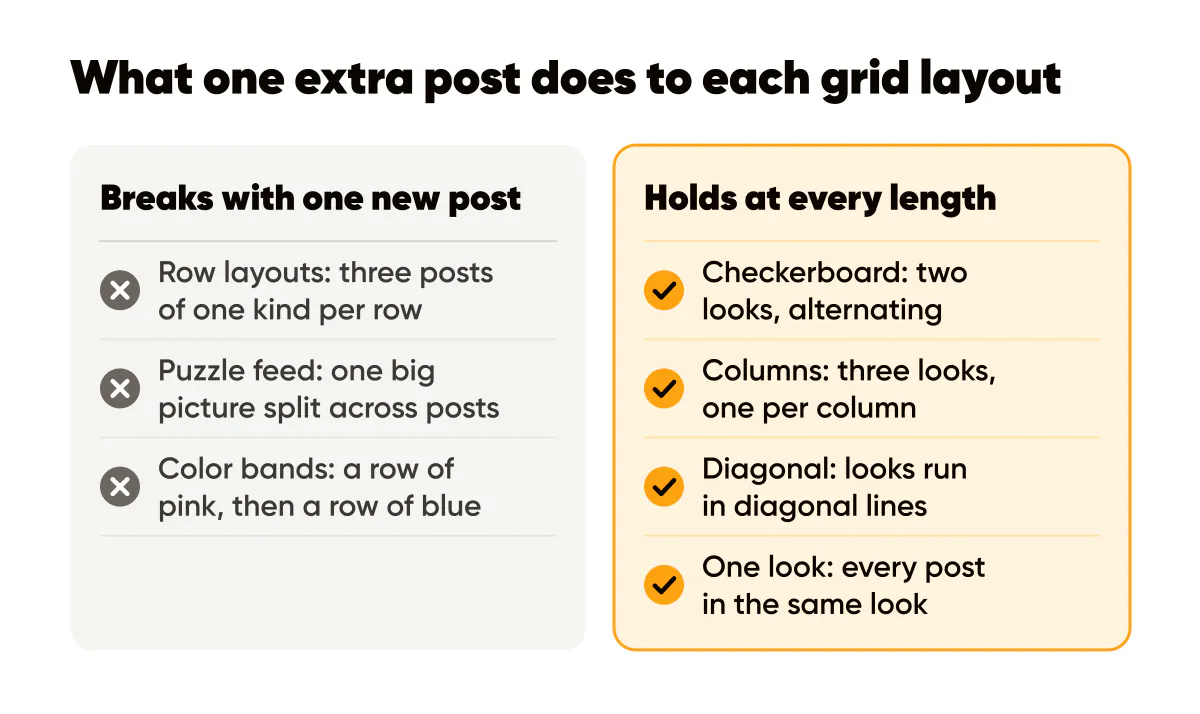
The difference is not taste. It is arithmetic: a layout either repeats in a way the three columns can absorb, or it depends on every post landing in an exact square.
Layouts that break after one extra post
Row layouts
Three posts of one kind per row (three photos, then three quotes) look tidy in a planning app. Then you post one extra thing. Every row now reads as one tile from the old row and two from the new one, and it stays broken until two more posts of the right kind arrive. In practice it is broken most of the time.
Instagram puzzle feed
A puzzle feed splits one big picture across three, six or nine posts so the grid shows the whole image. It has three problems:
- It must go up in exact order and in one sitting. One post in between, and the picture splits across rows.
- The 3:4 grid cuts the seams. Templates made for square tiles now lose a strip on each side of every tile, so the pieces no longer line up.
- Nobody sees it in the feed. Followers meet each post alone, as a third of a picture with a caption that makes no sense on its own.
A puzzle row can work once, for a launch, if all three pieces go up together and each piece also works alone. As a permanent layout it is a trap.
Color bands
A row of pink, then a row of blue, then a row of green: the same problem as rows, plus a second one. Every band change has to be timed to the post count, so a single extra post spreads one color across two rows.
Where Reels fit in a grid layout
A Reel shared to your grid enters it like any other post. It shifts every tile by one place, which a pattern that repeats every 2, 3 or 4 posts handles fine, because a checkerboard is still a checkerboard after the shift.
The real problem is what the Reel looks like in its tile. A filmed Reel is 9:16, so its tile is a 3:4 slice from the middle of a frame, and that frame rarely matches the look its slot expects. A shaky shot of the counter lands where a brand color tile should be, and the pattern has a hole in it.
You have four options:
- Pick a cover that fits the slot. Design the Reel cover in the look the pattern needs next. Keep the words in the middle of the frame so the 3:4 crop does not cut them.
- Keep the Reel off the grid. It still reaches people in the Reels tab and the feed. The steps are in how to hide Reels from your Instagram grid.
- Move it by hand. On June 8, 2026 Instagram rolled out grid reordering to everyone (ABC News covered Meta's announcement): tap and hold a post, choose "Reorder grid", then drag it. It fixes one tile, but you are now rearranging your profile every week.
- Post Reels that already are the planned tile. That is the next section.
Reels that keep the layout: animated posts
The cleanest way to post Reels without breaking a layout is to make the Reel and the planned post the same thing. That is how animated Instagram posts in Creobee work.
Turn animation on and each single post in a feed style can also come as a short animated version, 6 to 12 seconds, animated from that post's own design with one of 17 motion templates: the headline lands word by word, a list fills row by row, a number counts up, a price slides in. Sound effects are timed to the motion, and you can turn them off. Every animated version starts on the exact still post and ends on it, and its cover is that still. So in the 3:4 grid the tile is the same crop as the still would be, in the look its slot needs.
On the Autopilot and Pro plans you can schedule the animated version in the still's place. It goes to Instagram as a Reel that stays in the grid, and to a Facebook Page as a video post. Animation is on every plan, Solo included, and an animated post costs the same as a still.
It is motion built from your design, not filmed footage. If you would rather animate a post by hand, how to make animated Instagram posts has the steps in Canva and CapCut. Your own filmed Reels of the shop, the team and the work are still worth making. Give those a cover in the slot's look, or keep them off the grid.
How to change your Instagram grid layout without a reset
You do not need to archive anything or start a new account. Archiving or deleting old posts shifts every tile below them, which usually makes things worse.
- Preview the new layout first. Load your next nine posts into the Instagram grid planner, newest first, and check them at 3:4.
- Start the new pattern with your next post. Because the four layouts above hold at any length, you do not need to wait for a "clean" row.
- Give it three or four weeks. At three posts a week, the top nine tiles, which are what a visitor sees first, are all new in about three weeks. The old layout scrolls down out of sight.
- Use pins and reordering sparingly. A pinned post moves to the top, and every older post shifts to fill the place it left. Pin recent posts, and save "Reorder grid" for the odd post that landed in the wrong slot.
Tools for planning an Instagram grid layout
For photos you already have: the free Instagram grid planner lays out up to 18 images as 3:4 tiles, lets you drag them into order and shows where a 4:5 post loses its edges. No login, nothing uploaded.
For posts designed to fit from the start: Instagram feed design in Creobee. You pick a pattern (Checkerboard, Columns, Diagonal or One look) and one of five styles, add your brand color, logo and your own photo if you like, and every post is designed in the look its slot needs. The words come from a short description of your business, and each new batch picks up the pattern where the last one stopped. Turn on animated posts and each of them can go out as a Reel that keeps its tile. Creobee gives every account 3 free starter posts, no card needed.
Frequently asked questions
How do I change my Instagram grid layout?
Pick a layout whose pattern repeats every 2, 3 or 4 posts and start it with your next post. Do not archive old posts to make room: that shifts everything. After about three weeks of regular posting, the top of your grid shows the new layout.
Do Reels break an Instagram grid layout?
The shift itself does not, if your layout repeats every 2, 3 or 4 posts. What breaks it is a Reel whose 3:4 tile does not match the look its slot needs. Design the cover for the slot, keep the Reel off the grid, or post an animated version of the planned post, which starts and ends on that post.
What is the best Instagram grid layout for a business?
Columns, for most businesses: three looks, one per column, so each column can carry a different kind of post. Pick a checkerboard if you have strong photos and want the simplest rule, and one look if you post Reels often.
Is an Instagram puzzle feed worth it?
Rarely. It has to go up in exact order, the 3:4 tiles cut its seams, and each piece makes little sense in the feed on its own. A single puzzle row for a launch is fine if every piece also works alone.
Put it into practice
Turn this into posts designed for your feed
Paste your website or say what you do. Creobee plans, writes and designs your posts about it as one feed in your logo and colors, captions included, and on Autopilot it posts them for you.
How the Instagram feed design works