Social Media Content Audit: How to Do It in 1 Hour
A one-hour social media content audit: export insights, sort by saves and shares, tag by pillar and format, keep the top tenth, cut the bottom fifth.
A one-hour content audit means exporting your last 90 days of post insights, sorting by saves, shares and profile visits instead of likes, tagging every post by pillar and format, and finding the top tenth and bottom fifth. You then rebuild next month around what the top posts have in common and stop making the bottom ones.
What a social media content audit is for
Most people post, glance at likes, and post again. An audit replaces that glance with a table. The point is not to feel good or bad about the numbers. It is to find the pattern your audience already voted for so you can make more of it on purpose.
I do this for Creobee's account on the first Monday of every month, in one sitting, with a timer. The first time took closer to two hours because I had no tags. Every audit since has fit inside an hour because the spreadsheet already exists. Build it once and the routine gets cheap.
Which metrics should a content audit actually use?
Saves, shares (Instagram calls them sends) and profile visits. Likes are cheap and reach is mostly the algorithm's decision, not yours. Saves tell you a post was useful enough to keep. Shares tell you it was worth handing to a friend. Profile visits tell you it made someone curious about who you are, which is the step before a follow or a click.
These are also the actions Instagram's own ranking explainer describes as part of how the feed predicts interest, so optimising for them is not a trick, it is the stated game. For a longer argument about which numbers deserve your attention, the guide to measuring creative performance is where I go deeper.
If you have a link in bio and traffic matters to you, add link clicks as a fourth column. Set up Google Analytics on the destination so you can see which posts sent people, not just how many arrived.
The one-hour audit, minute by minute
Set a timer. The constraint is part of the method; an audit that takes an afternoon does not get repeated.
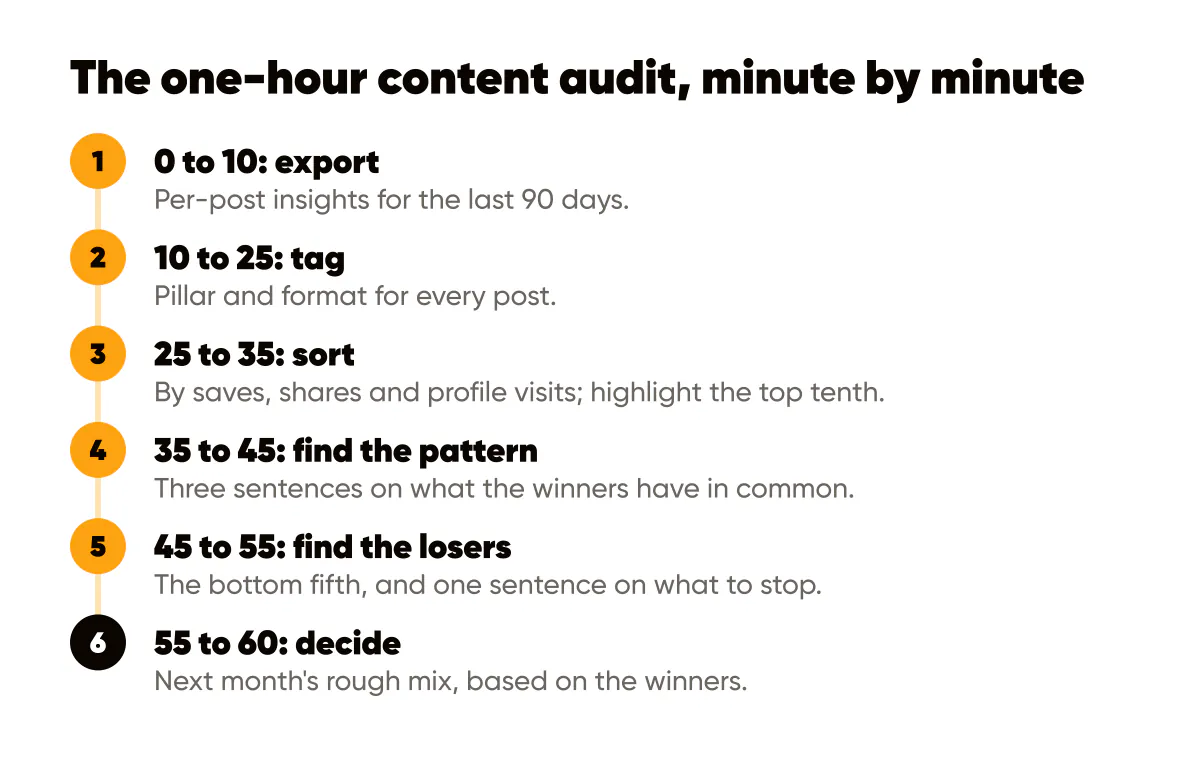
- Minutes 0 to 10: export. Open your professional dashboard and pull the per-post insights for the last 90 days. The Instagram Help Center documents where insights live and what each metric means, and the exact path moves around, so check there rather than trusting a screenshot from last year.
- Minutes 10 to 25: tag. For every post, fill two columns: pillar (the theme it belongs to) and format (single text post, photo, carousel, reel, quote card). Add a third column for the hook type if you have the energy. Do not agonise; a rough tag beats no tag.
- Minutes 25 to 35: sort. Sort by saves, then by shares, then by profile visits. Highlight the top tenth of posts on each sort. The posts that appear in two or three lists are your winners.
- Minutes 35 to 45: find the pattern. Look only at the winners. What pillar dominates? What format? What did the first line say? Write three sentences describing what they have in common.
- Minutes 45 to 55: find the losers. Sort ascending and look at the bottom fifth. Do they share a pillar, a format, a posting day? Write one sentence about what to stop doing.
- Minutes 55 to 60: decide. Write next month's rough mix: how many posts per pillar, how many per format, based on the winners. That is your brief for the batching session, and the mix to follow if an AI content calendar generator plans your weeks.
What does the spreadsheet look like?
One row per post. Columns from left to right: date, a five-word description so you can remember the post, pillar, format, hook type, saves, shares, profile visits, link clicks, and a final column for notes. Keep the pillar and format columns as dropdowns so your tags stay consistent month to month.
That is the whole template. I have seen people build dashboards with weighted scores and colour scales, and they stopped using them by month three. A flat table with sorting is enough, and it survives.
Turning the audit into next month's plan
The winners define the mix. If carousels under the "process" pillar took most of the top spots, next month gets more process carousels. Not all, because a feed of one format gets stale, but noticeably more. Your pillars themselves may need adjusting; if one theme has no posts in the top tenth after two audits, it is not a pillar, it is a habit, and the method in picking content pillars that never run dry will help you replace it.
The losers define what to cut. Cutting is the part people skip because every post felt like a good idea at the time. The audit gives you permission: the audience already told you.
The winners also feed your evergreen library. Any post in the top tenth that is not tied to a date can be re-templated and reposted in a few months, which is the core of building an evergreen content library. I re-run my best-performing checklist posts in a fresh template every quarter, and they usually land in the top tenth again.
A hypothetical audit for a yoga teacher
Say you teach yoga and posted 36 times in 90 days. After tagging, your top tenth is four posts: two carousels on "fixing common pose mistakes", one quote card in your own words about consistency, and one photo of your studio with a caption about the first class you ever taught. Bottom fifth: seven posts, five of which are schedule announcements as plain text on a photo.
The pattern is obvious once it is in a table. Teaching carousels and personal stories win, schedule posts lose. Next month: eight teaching carousels, four personal stories, schedules moved to Stories where they belong. The audit took an hour and changed a month.
Do this this week
Block one hour, export your last 90 days, and build the flat table with the ten columns above. Tag, sort, highlight the top tenth, and write the three sentences about what the winners share. Then draft next month's mix from those sentences before you close the file. If you batch your posts, take the mix straight into your weekly planning routine so the audit actually changes what gets made. An audit that ends in a spreadsheet changed nothing; one that ends in a brief changes the next thirty posts.
For the bigger picture your audit sits inside, the 2026 content marketing standards explain why distribution math changed and what that means for what you keep.


Put it into practice
Turn this into posts designed for your feed
Paste your website or say what you do. Creobee plans, writes and designs your posts about it as one feed in your logo and colors, captions included, and on Autopilot it posts them for you.
How the AI content calendar generator works