Canva vs AI Post Generators: Which Should You Use?
Canva vs AI post generators for social media: which fits your volume, skill, time and need for control, where each falls down, and how to use both together.
Canva fits solopreneurs who want control over every element and enjoy design. AI post generators fit solopreneurs who need volume, consistency and speed more than custom layouts. Most people I talk to end up using both: a template editor for the occasional one-off, a generator for the weekly batch. I build one of the second kind, Creobee, a Canva alternative for batches of branded 4:5 posts, so read what follows with that in mind.
If you are choosing a generator rather than deciding between the two kinds, the best AI Instagram post generators for small business compares nine tools, Canva included.
Canva vs AI post generators: two different jobs
I should say upfront where I stand. Because I build a generator, I have an obvious bias. I also sketched my own product's first post designs in Canva, twice, and I still open Canva when I need a one-off graphic with a layout my own tool does not offer. So this is a comparison from someone who uses both, not a takedown.
The two categories solve different problems. A template editor gives you a blank or pre-designed canvas and a full toolbox: fonts, shapes, photo libraries, layers, animation, brand kits. Adobe Express and PosterMyWall work the same way. You make each post by hand, one at a time, with as much or as little of a template as you want. Canva is the best-known example, and its Canva Learn tutorials are a good free grounding in layout basics even if you never pay for the product.
A describe-and-batch generator flips the order. You describe your business, audience and offer once, set your brand constraints (logo, colors, text style), and the tool hands back a batch of finished, on-brand posts, headlines and captions included. Some of these tools also generate the pictures with an image model; Creobee does not: it writes the words with AI and designs each post around them, with no AI-generated images. You review and cull instead of designing. You trade layout freedom for speed and uniformity.
What does a manual template editor do better?
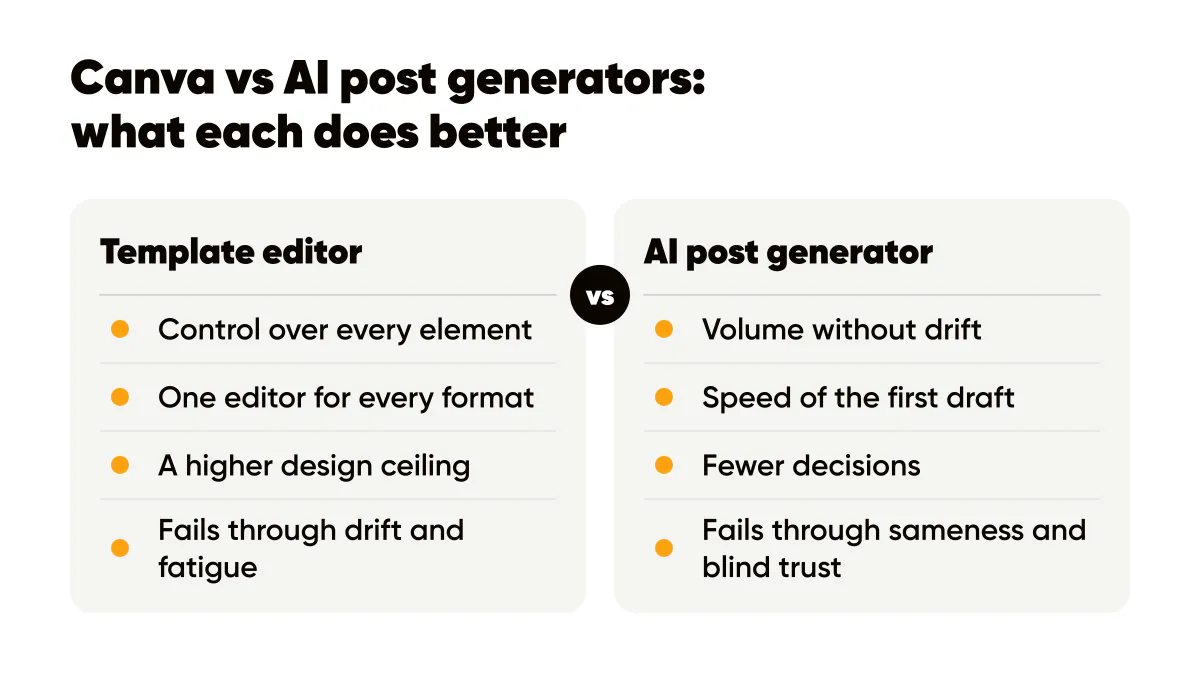
Control. If you want a specific element in a specific place, a template editor will do it. Custom layouts, multi-slide carousels with mixed media, infographics, event flyers, product mockups with your own photos: this is where an editor shines. The output can be exactly what is in your head.
Flexibility across formats is another win. One editor covers Stories, Reels covers, Pinterest pins, LinkedIn banners, print and presentations. A generator focused on feed posts does one format very well and nothing else.
And the design ceiling is higher. A skilled person with an editor produces work that a generator will not match, because the generator is optimizing for consistent and readable, not for exceptional. If your brand's edge is visual craft, an editor is the right tool.
What does an AI generator do better?
Volume without drift. The thing I watched happen to my own account, and to most solopreneur accounts I look at, is that post 1 in an editor looks great and post 14 looks like a different brand, because every open canvas invites a small change. A generator with locked brand settings cannot drift. Thirty posts share the same logo position, palette and type treatment because they came from the same settings.
Speed of the first draft. Writing 30 headlines is the slow part of content, not the layout. Generators that write the copy from your business description get you to "review 30 candidates" in minutes. The one-hour batch process I use walks through exactly how that hour breaks down.
Fewer decisions. Hick's Law, summarized on Laws of UX, says decision time grows with the number of options. A blank canvas offers thousands of fonts and millions of photos. A generator offers a handful of styles and a brand color. For someone whose job is not design, fewer options is a feature.
Canva or an AI Instagram post generator: what decides it
Forget feature lists. Four questions decide this for most people I talk to.
- Volume: if you publish more than two branded image posts a week, hand-making each one becomes the bottleneck, and batching wins.
- Design skill: if you cannot tell why a layout feels off, a tool that enforces layout rules protects you from yourself.
- Time: if you have one hour a week for content, the split between writing and designing has to favor writing.
- Custom layouts: if your posts regularly need infographics, mockups or bespoke compositions, an editor is not optional.
Cost is rarely the deciding factor at the low end; entry tiers in both categories are cheap compared with an hour of your time. The real cost is your hours, which I break down in AI tools vs hiring a designer.
Can you use Canva and an AI generator together?
Yes, and this is the setup I recommend most often. Build your brand foundation once: a one-page design system with three colors, two fonts and logo rules. Load those same values into both tools. Then split the work by type.
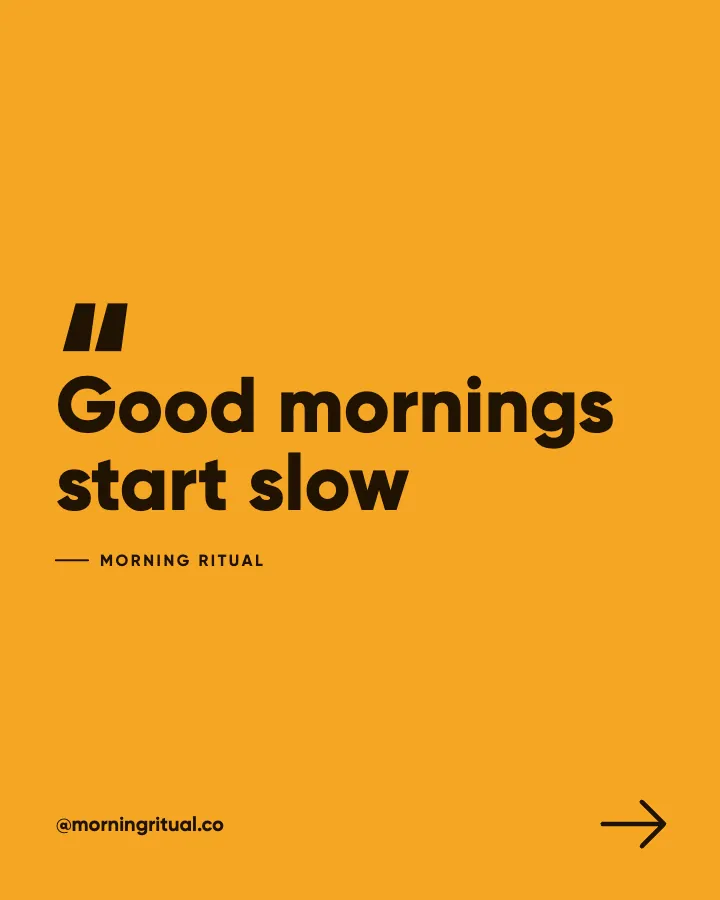
Generator: weekly text-led feed posts, quote posts, tip posts, offer reminders. The repetitive, high-frequency work where consistency matters more than novelty.
Editor: launch graphics, carousels with screenshots, anything that needs a photo of you, anything with a layout you cannot describe in a sentence. The low-frequency, high-stakes work.
The overlap becomes obvious after a month. Your generator output teaches you which headline styles get saves, and you carry those into your editor work. Your editor work reveals which layouts your audience responds to, and you pick the generator style closest to it. The brand templates that convert piece covers what those winning layouts tend to share.
Where each approach falls down
Editors fail through drift and fatigue. Not because the tool is bad, but because a human making forty small decisions per post gets tired and starts accepting "fine". Consistency requires discipline the tool does not supply.
Generators fail through sameness and blind trust. If you accept every output, your grid gets monotonous and the occasional bland headline slips through. The tool produces; you still curate. I reject roughly a third of what Creobee generates for my own account, and that ratio is healthy. A generator you never overrule is one you are not reading. The human-plus-AI content workflow is my longer argument for keeping judgment at both ends of the pipeline.
Neither category writes a strategy. Both will happily produce beautiful posts about nothing.
Pick one path this week
If you post fewer than twice a week and enjoy design, stay with a template editor and build yourself three reusable templates so drift stays low. If you post three or more times a week, or you dread opening a design tool, try a generator for one batch and measure how many outputs you keep without edits. If that number is above two thirds, the trade of control for speed is working for you. If it is below half, your brand needs more custom layout than a generator gives, and the editor is your home.
Whichever you pick, lock your brand values first. Tools change. A written palette and a logo rule outlast every subscription. With Creobee a first test costs nothing, because every new account gets its first 3 posts free (plans are on Creobee's pricing), but the test is the point, not the tool.
Put it into practice
Turn this into posts designed for your feed
Paste your website or say what you do. Creobee plans, writes and designs your posts about it as one feed in your logo and colors, captions included, and on Autopilot it posts them for you.
How the Canva alternative works