Pinterest for Small Business: A 2026 Traffic Guide
Pinterest for small business in 2026: why it works like a search engine, the pin size to use, keyword titles, and a 30-minute weekly routine that sends traffic.
Pinterest works for small businesses because it behaves like a search engine, not a social feed: a pin can keep sending traffic for months after you publish it. Take the branded graphics you already make, export them as vertical pins, give each one a keyword-rich title and description, and link it to a page you own.
Pinterest is a search engine wearing a social network's clothes
On Instagram, a post has a lifespan of a day or two before it is buried. On Pinterest, people type what they want ("small bakery logo ideas", "home office setup small space") and get pins that may be a year old. That changes the math for a one-person business. A pin is closer to a blog post than to a story: you make it once, it works for a long time, and the return accumulates.
It also means the audience arrives with intent. Someone browsing Pinterest for "client onboarding checklist" is planning something, which is a very different mood from someone thumbing through Reels. Pinterest's own business site leans on this planning behavior in how it describes the platform, and it matches what I see: fewer comments, more clicks.
The trade-off is patience. Pinterest rarely gives you the day-one spike that Instagram can. My pins take weeks to gather impressions and then hold them. If you need feedback this week, Pinterest is the wrong place to look for it.
What size should a Pinterest pin be?
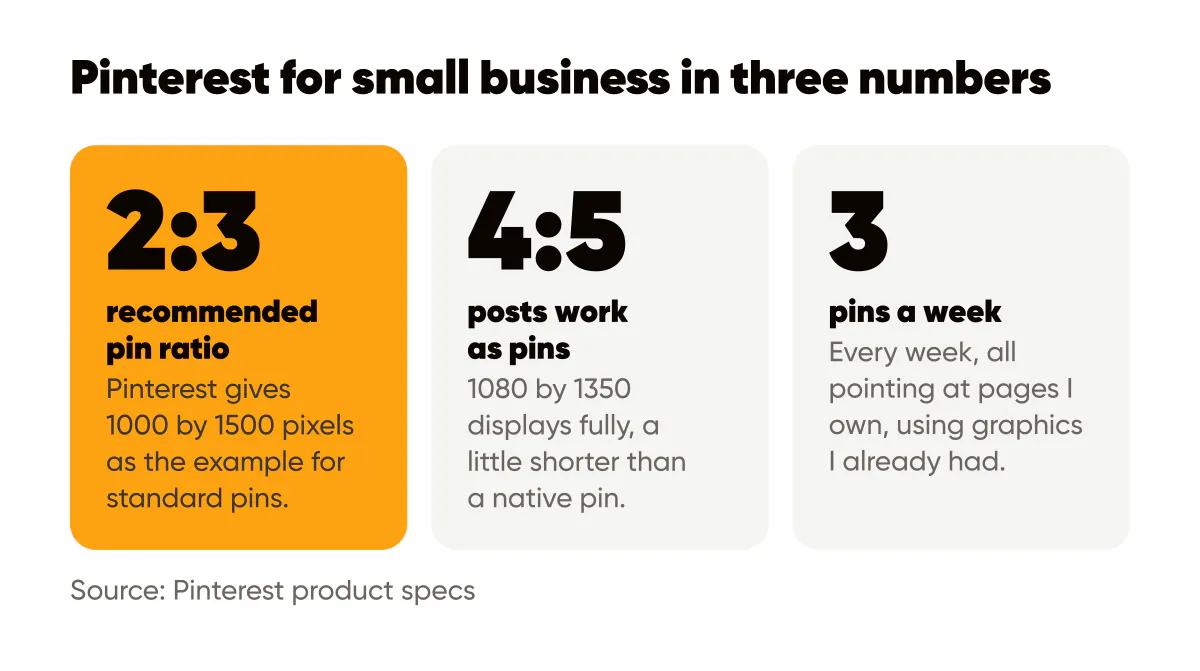
Pinterest's product specs recommend a 2:3 aspect ratio for standard pins, with 1000 by 1500 pixels given as the example. Pins that are much taller than 2:3 can be cut off in the feed, so extremely long infographic-style pins are riskier than they used to be.
Your 4:5 branded posts (1080 by 1350) work as pins without changes. They are shorter than 2:3, so they display fully and simply take a little less vertical space than a native pin. When I want the extra height, I place the 4:5 image on a 1000 by 1500 canvas and use the extra room at the bottom for the page title and my domain name. That takes a minute and turns a social post into a pin that looks made for Pinterest. The Pinterest pin size guide covers the other pin formats.
Pinterest's creative best practices page adds the guidance I would give anyway: vertical format, a clear focal point, text overlay that is readable on a phone, and a visible brand presence. The design rules I apply to every 4:5 post already cover this. If you do not have a stock of branded 4:5 posts yet, an AI social media post generator can design a week of them in your logo and colors to start from.
Keywords do the heavy lifting
A pin with no text in its title and description is a picture with no address. Pinterest search reads the title, the description, the board name and, to some degree, the text on the image. Writing those fields like a search listing is the single highest-return habit on the platform.
How do you write pin titles and descriptions that get found?
Start with the phrase a customer would type. Not "Our new guide" but "Instagram post size guide 2026." Put that phrase at the front of the title, then add a benefit. In the description, write two or three natural sentences that include the main phrase once, one or two related phrases, and a plain-language reason to click. No hashtag stuffing; Pinterest is not built around tags the way Instagram once was.
Board names matter too. A board called "Marketing tips" competes with millions; a board called "Instagram tips for small business owners" tells both the search system and the browser exactly what is inside. I keep six to eight tightly named boards and pin every piece to exactly one of them first.
Because pin text and blog text should use the same vocabulary, I write the pin title and description at the same time as the blog post's title and meta description. The same discipline I described for SEO for social posts applies here: one keyword phrase per piece, used naturally in every field that gets indexed.
Link every pin to something you own
This is the part most small businesses skip. A pin can link to any URL, and a pin that links to a blog post, a product page or a lead magnet page is a pin that produces something you can measure. A pin that links to your Instagram profile produces a follower at best.
My default: every blog post gets two or three pins over the month it publishes, each with a different headline on the same branded template, each linking to the post. The process for cutting a post into social pieces is in how to turn one blog post into a week of Instagram content; the pins are just one more output of that same extraction, aimed at a slower, longer-lived channel.
For product sellers the link target is the product page. Shopify's Pinterest marketing guide covers the shop-side setup (product catalogs, rich pins) in more depth than I can here, and it is the right read if you sell physical goods.
Which topics deserve a pin?
Not everything you post on Instagram belongs on Pinterest. Pin the durable pieces.
- How-to and step-by-step content: checklists, guides, recipes, setups.
- Reference posts: sizes, specs, templates, comparisons.
- Before-and-after posts and example galleries.
- Seasonal planning content, published early because pinners plan ahead.
- Anything that links to a page with more depth than the image itself.
Skip the daily observations, the behind-the-scenes shots and the time-sensitive announcements. They belong on Instagram and Stories, where the shelf life matches the content.
A 30-minute weekly Pinterest routine
Here is what I actually do. Monday, ten minutes: pick the two most durable posts from last week's Instagram batch and export them at 1000 by 1500 with the page title added at the bottom. Ten minutes: write a title and description for each using the same keyword phrase as the destination page, and choose the board. Ten minutes: schedule them for two different days, and repin one older evergreen piece to a second relevant board with a fresh headline.
That is it. Three pins a week, every week, all pointing at pages I own, using graphics I already had. The captions and titles per platform are different, and I covered what to change and what to keep in cross-posting without looking lazy. Pinterest is the platform where the title matters most and the caption matters least.
Start with your ten best pages this week
List the ten pages on your site that already get search traffic or that you most want people to find. Make one 4:5 branded pin for each using your usual template, with the page's keyword phrase as the headline on the image. Write a title and description that repeat that phrase, link to the page, and schedule them across two weeks. Then leave them alone for a month before judging. The keyword thinking is the same one I use for Instagram SEO; Pinterest simply rewards it faster and for longer.
Put it into practice
Turn this into posts designed for your feed
Paste your website or say what you do. Creobee plans, writes and designs your posts about it as one feed in your logo and colors, captions included, and on Autopilot it posts them for you.
How the AI Instagram post generator works